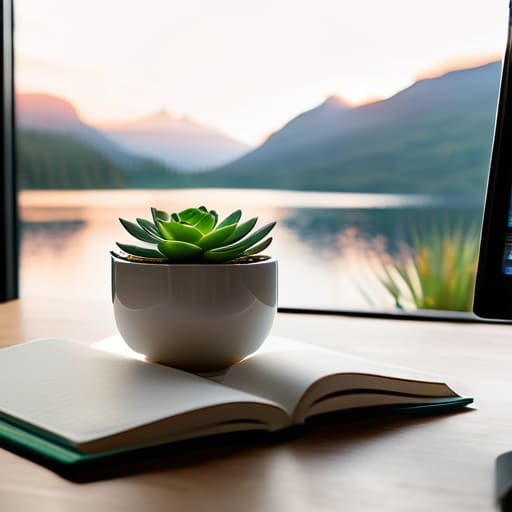
I spent a decade in logistics watching people drown in complexity, and I see the same pattern happening on your screens every single day. Most people treat their digital workspace like a junk drawer, filling it with high-octane, neon-soaked, or hyper-detailed desktop wallpapers that do nothing but scream for your attention. We’ve been sold this lie that a “cool” background is a way to express personality, but in reality, most of those cluttered images are just visual static that eats away at your cognitive bandwidth before you’ve even opened your first email.
I’m not here to give you a list of trendy aesthetics or tell you which 4K resolution will make your monitor look “expensive.” My goal is much more practical: I want to help you curate a digital environment that actually serves your workflow. I’m going to show you how to select minimalist backgrounds that reduce mental friction and help you reclaim your focus. We’re going to stop chasing the hype and start building a workspace that makes room for the work that actually matters.
Table of Contents
- High Resolution 4k Backgrounds That Minimize Digital Noise
- Calming Screen Imagery for a More Intentional Workflow
- My Rules for a Functional Digital Workspace
- The Bottom Line: Designing a Workspace That Works for You
- The Psychology of the Digital Canvas
- Designing Your Digital Environment
- Frequently Asked Questions
High Resolution 4k Backgrounds That Minimize Digital Noise

When I’m auditing a client’s workflow, I often find that the visual friction of a cluttered screen is just as draining as a messy desk. If you’re looking to reclaim some mental bandwidth, I recommend leaning into high resolution 4k backgrounds that prioritize negative space. You aren’t looking for a masterpiece to stare at; you’re looking for a canvas that supports your focus. Think of macro photography of natural textures—grainy wood, soft linen, or even a single stone in a pool of water. These provide a sense of depth without demanding your attention.
The goal here is minimalist desktop organization through visual simplicity. Avoid anything with high-contrast patterns or busy cityscapes that compete with your folders and icons. Instead, opt for calming screen imagery featuring muted earth tones or soft gradients. When your background is subtle, your brain doesn’t have to work overtime to filter out the “noise” every time you minimize a window. It’s about creating a digital environment that feels as intentional and grounded as a well-organized physical workspace.
Calming Screen Imagery for a More Intentional Workflow

When I’m deep in a workflow audit, I notice how often people let their visual environment dictate their stress levels. If your screen is a chaotic collage of bright colors or busy cityscapes, your brain is constantly processing that extra data, even if you aren’t looking directly at it. I’m a big believer in calming screen imagery—think soft gradients, subtle textures, or vast, quiet landscapes. These aren’t just “pretty pictures”; they act as a visual reset button. When you glance away from a spreadsheet, a muted, organic background allows your eyes and mind to rest rather than jumping straight into another stimulus.
The goal here is intentionality. Instead of grabbing the first flashy image you see, look for aesthetic computer backgrounds that offer depth without demand. A simple, foggy mountain range or a macro shot of a linen texture provides a sense of space. This approach to customizing your digital workspace ensures that your tools remain subservient to your focus. By choosing imagery that breathes, you’re effectively lowering the cognitive friction of your entire workday.
My Rules for a Functional Digital Workspace
- Stop treating your desktop like a junk drawer. If your wallpaper is covered in scattered icons and half-finished folders, no amount of high-res imagery will save your focus. Use a wallpaper with built-in “zones” or empty space to keep your files organized and out of sight.
- Avoid high-contrast, neon, or overly busy patterns. I’ve seen too many people pick “cool” geometric designs that actually end up causing eye strain by the second hour of work. Stick to muted tones and soft gradients that recede into the background.
- Match your wallpaper to your task, not your mood. If you’re in deep-work mode, go for something minimalist and dark. If you’re doing creative brainstorming, a bit of natural texture like stone or wood can help, but don’t let the image start competing with your actual project.
- Audit your desktop visuals every month. Just like I’d clear off a physical workbench, you need to clear your digital one. If a wallpaper is starting to feel like “noise” rather than a calm backdrop, swap it out or go back to a solid neutral color.
- Use your wallpaper as a psychological cue. I like to use specific imagery to signal the start of the workday—something that feels professional and grounded. When the screen changes, your brain knows it’s time to stop scrolling and start executing.
The Bottom Line: Designing a Workspace That Works for You
Treat your desktop like your physical desk; if it’s cluttered with visual noise, your brain will struggle to find its flow.
Stop chasing high-octane, busy imagery that demands your attention; opt for minimalist backgrounds that recede into the periphery.
Use your wallpaper as a functional boundary—pick a visual style that signals to your mind that it’s time to focus, not time to scroll.
The Psychology of the Digital Canvas
Your desktop isn’t just a surface for files; it’s the visual boundary of your workspace. If your wallpaper is a chaotic mess of high-contrast colors and busy patterns, you’re essentially trying to work in a room filled with shouting voices. Choose something that breathes, so your mind can too.
Emmett Kowalski
Designing Your Digital Environment

At the end of the day, your desktop wallpaper isn’t just a cosmetic choice; it is a functional component of your workspace architecture. We’ve looked at how high-resolution 4K imagery can reduce visual friction and how intentional, calming landscapes can act as a mental reset during a high-stress afternoon. Whether you choose a minimalist gradient to hide the chaos of scattered icons or a serene natural scene to lower your cortisol, the goal remains the same: eliminating unnecessary cognitive load. Stop viewing your screen as a dumping ground for notifications and start treating it as the foundation of your digital focus.
I’ve spent years optimizing workflows for massive tech firms, and if there is one thing I’ve learned, it’s that efficiency isn’t about adding more complexity—it’s about stripping away the distractions that don’t serve you. Your digital environment should reflect the same intentionality you bring to your physical desk. Don’t let a cluttered, loud, or chaotic background dictate your mood or your productivity. Take five minutes today to curate a view that actually supports your work. When you reclaim your visual space, you reclaim the mental clarity required to do your best work.
Frequently Asked Questions
How can I find high-quality wallpapers that don't make my desktop icons impossible to read?
Look for wallpapers with “negative space”—those intentional, empty areas where the composition breathes. You want imagery where the subject is off-center, leaving a clean, low-contrast field for your icons to sit on. Avoid busy, high-detail patterns that fight for your attention. If you find a shot you love, try applying a subtle dark overlay or a slight blur in a photo editor. It keeps the aesthetic while ensuring your workflow remains legible.
Is there a point where having too many different backgrounds actually hurts my focus?
Absolutely. If you’re swapping wallpapers every time your mood shifts, you’re just adding another layer of decision fatigue to your day. Every change is a micro-distraction. I’ve seen people treat their desktop like a rotating gallery, but that’s just digital clutter by another name. Pick a setup that works, stick to it, and let your brain settle into a rhythm. Stop managing your wallpaper and start managing your focus.
Should I be looking for static images, or is there a functional benefit to using minimalist live wallpapers?
Honestly? Stick to static images. I’ve seen too many people fall into the trap of “productivity aesthetics” by installing live wallpapers that move or pulse. If your screen is constantly shifting, your brain is subconsciously processing that motion, which adds to your cognitive load. A static, minimalist background provides a stable visual anchor. You want your tools to be invisible, not a source of constant, low-level distraction. Keep it still.
