Stop wasting your money on “enterprise-grade” productivity suites that promise to revolutionize your life but really just add more digital noise to your day. I’ve spent two decades in the trenches of tech logistics, and I’ve seen countless teams drown in subscription fees for software that does nothing more than complicate a simple concept. You don’t need a complex, AI-driven dashboard to see where your work stands; you just need kanban boards that actually reflect the reality of your workflow. Most people treat these tools like a high-tech toy, but if you’re spending more time tweaking your columns than actually finishing tasks, you aren’t using a system—you’re just playing house.
I’m not here to sell you on a new app or a complicated methodology that requires a certification to understand. My goal is to strip away the fluff and show you how to use kanban boards to reclaim your mental bandwidth. I’ll share the exact, battle-tested ways I implement these systems to clear the clutter and keep projects moving without the constant feeling of overwhelm. We’re going to focus on functional simplicity that works in the real world, not in a pitch deck.
Table of Contents
Mastering Visual Management Systems for Real Clarity
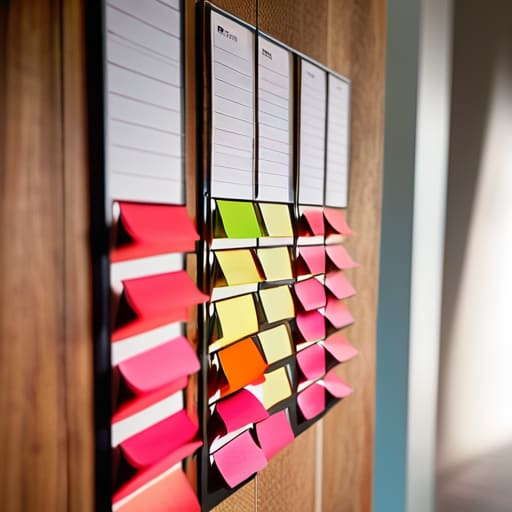
The goal isn’t to build a complex digital monument to your tasks; it’s to create a clear, visual map of where your energy is actually going. When I consult for firms, I see people drowning in “to-do” lists that are really just graveyards for unfinished ideas. Effective visual management systems should do the opposite: they should reveal the bottlenecks that are quietly killing your momentum. Instead of guessing what needs your attention, you should be able to glance at your workspace and immediately see where the friction lies.
To get this right, you have to focus on limiting work in progress. This is the most common mistake I see—people treat their board like an infinite bucket. If your “In Progress” column is overflowing, you aren’t being productive; you’re just multitasking poorly. By setting strict limits on how many tasks can live in a single stage at once, you force yourself to finish what you started before grabbing something new. It’s about moving from a state of constant motion to a state of actual completion.
The Right Kanban Board Columns Setup for Flow
Most people make the mistake of overcomplicating their board right out of the gate. They think more columns equal more control, but in reality, they just create more friction. If you want actual flow, start with the basics: To Do, Doing, and Done. This simple kanban board columns setup allows you to see exactly where the bottlenecks are forming without needing a PhD in project management. If a task sits in “Doing” for three days, you don’t need a new app; you need to look at why that specific item is stalling.
Once you have the rhythm down, you can layer in more nuance, like “Blocked” or “Review.” However, the real secret to workflow optimization techniques isn’t just about where the tasks live, but how many live there at once. This is where limiting work in progress becomes your best friend. By setting a hard cap on your “Doing” column, you force yourself to finish what you started before grabbing something new. It’s about moving from a culture of “being busy” to a culture of actually completing things.
Five Ways to Stop Playing with Your Board and Start Using It
- Limit your work in progress. If your “Doing” column looks like a crowded subway station, you aren’t being productive; you’re just multitasking poorly. Pick a number, stick to it, and don’t pull a new task in until something moves out.
- Keep the board physical if you can. There is a specific kind of mental clarity that comes from moving a physical card or a sticky note across a table. It makes the progress feel real, rather than just another digital notification.
- Audit your columns weekly. If you find yourself adding “Waiting for Approval” or “Researching” as permanent fixtures, your workflow might be broken. Don’t let the board become a graveyard for tasks that are actually stuck in limbo.
- Focus on the bottlenecks, not the volume. A full board isn’t a sign of success; it’s a sign of friction. Look for where the cards are piling up and fix the process causing the clog instead of just adding more tasks to the pile.
- Don’t over-engineer the aesthetics. I see people spend hours choosing color-coded labels and custom icons for their digital boards. Stop. A board is a tool for clarity, not a design project. If it helps you see what needs to happen next, it’s working.
Cut the Noise and Keep the Flow
Stop obsessing over software features and focus on the visibility your workflow actually needs to function.
Build your columns around how work actually moves, not how you think it should look on a screen.
Use your board to manage your mental energy, not just to track a never-ending list of tasks.
The Truth About Visual Flow
A Kanban board isn’t a digital trophy case for your to-do list; it’s a diagnostic tool. If you can’t look at your board and immediately see where work is stalling, you aren’t managing a workflow—you’re just collecting tasks.
Emmett Kowalski
Stop Managing Tasks and Start Managing Focus
At the end of the day, a Kanban board isn’t just a collection of digital sticky notes or a fancy way to color-code your to-do list. It is a visual contract with yourself. By choosing the right columns and focusing on visual management, you move away from the chaos of a never-ending inbox and toward a system that actually respects your mental bandwidth. Remember, the goal isn’t to fill every single column with tasks; the goal is to ensure that work actually moves through the system without getting stuck in a bottleneck. If your board feels cluttered, strip it back. Simplify the columns until the flow becomes obvious, and only then start adding complexity.
Don’t let the pursuit of the “perfect” setup become another way to procrastinate. I’ve seen consultants spend weeks debating software features while their actual projects stall out. Real productivity isn’t found in a premium subscription or a complex automation script; it’s found in the clarity that comes from seeing exactly where your energy is going. Use your Kanban board to reclaim your time and, more importantly, your focus. Build a system that serves your life, not one that demands you serve it. Now, close the tabs, pick your most important task, and just get to work.
Frequently Asked Questions
How do I know when my board has become too cluttered to actually be useful?
If you’re staring at your board and feeling a sense of dread rather than relief, you’ve crossed the line. When you can’t glance at your screen and instantly see where the bottlenecks are—or if you’re spending more time moving digital sticky notes than actually doing the work—your system is broken. A board should be a map, not a junk drawer. If it’s overwhelming you, it’s time to prune the tasks and simplify the columns.
Is it better to stick to a physical board on my wall or move everything into a digital tool?
Don’t let the “digital vs. analog” debate become another source of friction. If you’re working solo in a home office, a physical board on your wall is unbeatable; it’s a tactile, constant reminder of your focus that doesn’t require a screen login. But if you’re coordinating with a remote team, you need a digital tool for the sake of a single source of truth. Choose the one that reduces your mental load, not the one that adds more maintenance.
At what point does a Kanban system stop being a helpful guide and start becoming just another chore on my to-do list?
It becomes a chore the moment you spend more time moving digital cards than actually doing the work. If you’re obsessing over color-coded tags, perfect sub-tasks, or custom automation rules just to make the board “look right,” you’ve lost the plot. A Kanban board is a map, not the destination. If the maintenance of the system is draining your energy instead of clearing your head, it’s time to strip it back to basics.
