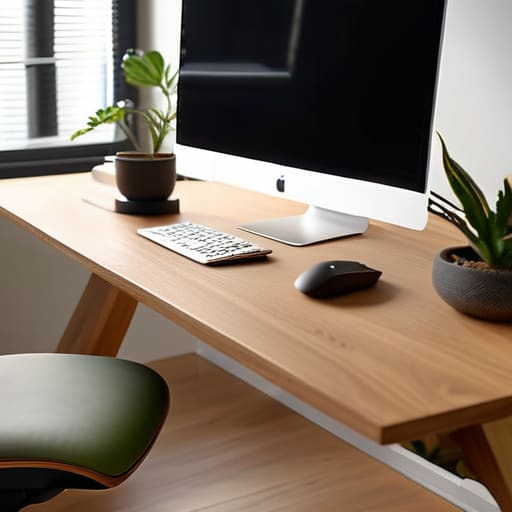
Stop wasting your money on those $1,500 “smart” chairs that promise to fix your posture while you sit like a shrimp. I’ve spent twenty years watching people try to buy their way out of physical discomfort, thinking a flashy piece of gear is a magic bullet for their fatigue. The truth is, most of these high-end gadgets are just expensive distractions from the fact that your workspace is fundamentally broken. A truly effective ergonomic setup isn’t about having the most expensive hardware on the market; it’s about eliminating the friction between your body and your work so you can actually stay in the flow.
I’m not here to sell you a lifestyle or a specific brand of standing desk. Instead, I’m going to give you the pragmatic, no-nonsense blueprint I use to audit workflows and physical spaces. We are going to strip away the marketing fluff and focus on the few, high-impact adjustments that actually reduce your mental load and physical strain. I’ll show you how to build a system that serves your body, rather than forcing you to adapt to a poorly designed desk.
Table of Contents
- The Truth About Lumbar Support Importance and Real Comfort
- Finding Your Optimal Monitor Height to Save Your Neck
- Stop Overcomplicating It: 5 Practical Adjustments for a Better Workspace
- Cut the Noise: Three Rules for a Setup That Actually Works
- The Real Goal of Ergonomics
- Stop Overthinking the Gear and Start Tuning the System
- Frequently Asked Questions
The Truth About Lumbar Support Importance and Real Comfort
We need to have a real conversation about the “lumbar support” craze. I see people spending thousands on high-end chairs with twenty different adjustment levers, thinking they’ve solved their back pain. The truth? Most of those fancy ergonomic chair features are just distractions. Real comfort isn’t about finding the perfect gadget; it’s about maintaining the natural curve of your spine so your muscles aren’t doing all the heavy lifting.
When I’m auditing a client’s workspace, I look for whether their chair actually holds them, or if they’re just slouching into a pile of expensive foam. Understanding lumbar support importance boils down to one thing: preventing that mid-afternoon slump where you start curling into a ball. If your lower back isn’t supported, your entire kinetic chain suffers, leading to tension in your neck and shoulders that no amount of stretching will fix. It’s about structural integrity, not luxury. Stop looking for a magic seat and start looking for a way to keep your spine neutral while you actually get your work done.
Finding Your Optimal Monitor Height to Save Your Neck

Most people treat their monitor like an afterthought, plopping it on the desk and wondering why they feel like they’ve been staring at a brick wall by 3:00 PM. If you find yourself leaning forward or tilting your chin down to read small text, you’re asking for a neck ache that no amount of stretching will fix. To find your optimal monitor height, you need to align the top third of the screen with your eye level. This ensures your gaze is slightly downward, which is much more natural for your ocular muscles and keeps your spine in a neutral position.
If you’re working on a laptop, stop trying to make it work; it’s a recipe for disaster. Get a separate keyboard and a laptop riser—or even a stack of sturdy books—to bring that screen up. This simple bit of posture correction at work is one of the most effective ways of preventing repetitive strain injury in the upper cervical spine. It’s not about having the most expensive monitor arm on the market; it’s about making sure your head isn’t constantly fighting gravity.
Stop Overcomplicating It: 5 Practical Adjustments for a Better Workspace
- Stop chasing the “perfect” ergonomic chair that costs a month’s rent. Most of the time, you just need to ensure your feet are flat on the floor and your thighs are parallel to the ground. If your chair is too high, grab a sturdy footrest—or even a stack of old manuals—to take the pressure off your lower back.
- Your keyboard and mouse shouldn’t be a reach. If you’re constantly stretching your arms forward to hit the keys, you’re begging for shoulder tension. Pull your peripherals closer so your elbows stay tucked by your ribs at a comfortable 90-degree angle.
- Ditch the laptop stand if it forces you into a weird posture. If you must work on a laptop, get a separate keyboard and mouse. This allows you to raise the screen to eye level without your hands being stuck in a hovering, strained position.
- Lighting isn’t just about seeing; it’s about eye strain. If you’re squinting against a glare from a window or a harsh overhead bulb, your neck will naturally tilt to compensate. Position your light sources to the side of your screen, not directly in front or behind it.
- The best ergonomic setup is the one you actually move from. No matter how expensive your gear is, the human body wasn’t designed to be static for eight hours. Set a timer, stand up, and move for five minutes every hour. Movement is the ultimate ergonomic tool.
Cut the Noise: Three Rules for a Setup That Actually Works
Stop chasing the “perfect” ergonomic chair; focus on whether your current setup supports your spine’s natural curve without making you feel stuck.
Your eyes shouldn’t be straining to see or tilting your chin up; get that monitor at a height where your gaze naturally falls on the top third of the screen.
Productivity isn’t about more gear, it’s about removing the physical friction that pulls you out of your flow state.
The Real Goal of Ergonomics
Stop treating ergonomics like a luxury upgrade or a collection of expensive gadgets. It’s not about buying the most high-tech chair on the market; it’s about removing the physical friction that pulls you out of your flow and forces you to think about your body instead of your work.
Emmett Kowalski
Stop Overthinking the Gear and Start Tuning the System
At the end of the day, an ergonomic setup isn’t about buying the most expensive chair on the market or chasing the latest standing desk craze. It’s about the fundamentals we’ve discussed: supporting your lower back so you aren’t fighting tension by noon, and positioning your monitors so your neck isn’t doing all the heavy lifting. If your lumbar support is right and your screen height is dialed in, you’ve already won half the battle. Don’t let the pursuit of “perfect” gear become another way to procrastinate. Focus on the physical alignment that allows you to sit down and actually get to work without your body constantly sending you distress signals.
My advice? Start small. You don’t need a complete office overhaul by Monday morning. Just adjust your monitor, fix your seating position, and pay attention to how your body feels after an hour of deep work. The goal isn’t to build a high-tech command center; it’s to create a workspace that disappears so you can focus on your craft. When your environment stops demanding your attention through aches and pains, you finally have the mental bandwidth to do what you actually came here to do. Build a system that serves you, and let the rest of the digital noise fade into the background.
Frequently Asked Questions
I've already spent a fortune on an ergonomic chair, so why am I still feeling tension in my shoulders by noon?
The chair is only half the battle. If you’re clenching your shoulders by noon, you’re likely “reaching” for your tools. Check your armrests; if they’re too low, you’re subconsciously lifting your shoulders to compensate. Or, look at your keyboard—if it’s too far away, you’re straining your upper back to reach it. A $1,000 chair won’t fix a workspace that forces your body into a defensive posture. Adjust your peripherals, not just your seat.
Do I really need a standing desk, or is that just another expensive trend I can skip?
Look, I’m not going to tell you that a standing desk is a magic cure for a sedentary lifestyle. It’s not. If you buy a motorized desk just to stand perfectly still for eight hours, you’ve just traded one kind of stiffness for another. You don’t need the expensive hardware; you need movement. Alternate between sitting and standing when it feels natural. Focus on changing your posture, not on the price tag of your furniture.
How much of my physical discomfort is actually caused by my keyboard and mouse placement rather than my chair?
Honestly? Probably more than you think. You can buy a thousand-dollar chair, but if you’re constantly reaching forward or shrugging your shoulders to hit your mouse, you’re still fighting your body. If your elbows aren’t at a relaxed 90-degree angle or your wrists are angled awkwardly, that tension travels straight up your arms and settles in your neck. Your chair supports your spine, but your desk layout dictates how you actually move.
