I spent most of my twenties watching tech executives spend thousands of dollars on “ergonomic” setups that were nothing more than expensive distractions. They’d buy the latest standing desks and ambient lighting kits, thinking they could purchase their way into focus, but they were still drowning in digital clutter and physical chaos. We need to stop treating environment design like it’s a luxury aesthetic or a collection of high-end gadgets you find on Instagram. It isn’t about how your office looks in a filtered photo; it’s about how your surroundings interact with your brain to either facilitate deep work or quietly sabotage it.
I’m not here to sell you a new piece of hardware or a subscription to a “mindfulness” app. Instead, I’m going to show you how to build a system that actually holds the line for you. I’ll share the pragmatic, no-nonsense strategies I use to audit a workspace, from minimizing sensory friction to creating intentional boundaries that protect your attention. We are going to focus on the small, functional shifts that reduce your mental load and finally let you do the work that matters.
Table of Contents
- Reducing Cognitive Load and Spatial Design Friction
- Optimizing Productivity Through Surroundings That Actually Work
- Five Tactical Shifts to Reclaim Your Workspace
- The Bottom Line: Building a System, Not a Showroom
- The Invisible Hand of Your Workspace
- Designing for the Long Haul
- Frequently Asked Questions
Reducing Cognitive Load and Spatial Design Friction
We often mistake “busyness” for progress, but the truth is that a cluttered desk is often just a symptom of a cluttered mind. When your physical surroundings are chaotic, your brain is constantly performing micro-tasks—ignoring that stack of mail, navigating around a tangled charger, or processing the visual noise of a disorganized shelf. This is where the concept of cognitive load and spatial design becomes critical. Every unnecessary object in your line of sight is a tiny tax on your mental energy. By streamlining your setup, you aren’t just cleaning; you are reclaiming the bandwidth required for deep, focused work.
To fix this, I recommend looking at your setup through the lens of sensory architecture. It’s not just about having a clean surface; it’s about how your environment interacts with your senses. If your lighting is too harsh or your chair lacks proper support, your body is constantly sending “distraction signals” to your brain. Aim for an ergonomic office layout that prioritizes ease of movement and visual calm. When you minimize the friction between your intention and your action, you stop fighting your space and start letting it work for you.
Optimizing Productivity Through Surroundings That Actually Work
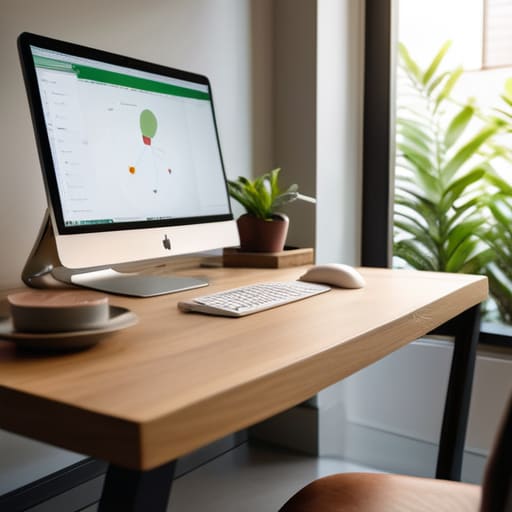
Most people treat their desk like a graveyard for half-finished coffee mugs and tangled charging cables, then wonder why they feel drained by noon. If you want to stop white-knuckling your way through the afternoon slump, you need to look at your ergonomic office layout through a more intentional lens. It isn’t just about getting a chair that doesn’t hurt your back; it’s about how the physical arrangement of your tools dictates your mental rhythm. When your essentials are within a natural reach and your visual field is clear of clutter, you aren’t just tidying up—you are removing the micro-distractions that chip away at your focus.
I’ve seen it time and again in my consulting work: teams struggling with burnout often just have a workspace that fights them. Integrating basic biophilic design principles, like adding a single hardy plant or maximizing natural light, can do more for your steady-state concentration than any expensive software subscription. We need to stop treating our workspaces as mere containers for our bodies and start treating them as active participants in our workflow. When your surroundings are calibrated to support your movement and sightlines, you stop fighting your space and start doing the work.
Five Tactical Shifts to Reclaim Your Workspace
- Audit your visual clutter before you start your day. If your eyes land on a pile of unfiled paperwork or a tangle of charging cables every time you look up, your brain is processing that mess as an unfinished task. Clear the surface so your focus stays on the screen, not the chaos.
- Curate your sensory inputs with intention. I’ve learned that the wrong ambient noise or a room that’s too dim can derail a workflow faster than a bad meeting. Use lighting and sound to signal to your brain that it’s time to transition from “chaos mode” to “deep work mode.”
- Designate “single-use” zones for specific tasks. Stop trying to write complex strategy documents in the same spot where you scroll through news feeds or eat lunch. If you associate a specific chair or a specific corner of your desk with one type of heavy lifting, your brain will eventually trigger that focus state automatically.
- Master your physical tool placement. This is where my background in logistics kicks in. If you reach for a notebook, a pen, or a specific reference document more than three times an hour, it shouldn’t be in a drawer; it should be within arm’s reach. Minimize the micro-movements that break your momentum.
- Build a “shutdown ritual” into your physical space. At the end of the day, don’t just close your laptop. Reset your environment—clear the coffee mugs, straighten the keyboard, and prep your desk for tomorrow. You aren’t just cleaning; you’re lowering the barrier to entry for your future self.
The Bottom Line: Building a System, Not a Showroom
Stop collecting “productivity gear” and start auditing your friction points; if a tool or a layout makes a task harder, get rid of it.
Design for your lowest-energy self by ensuring the essentials are always within reach and the distractions are physically out of sight.
Remember that a perfect workspace is a functional one, not an aesthetic one—if it doesn’t reduce your mental load, it’s just more digital or physical noise.
The Invisible Hand of Your Workspace
Stop treating your desk like a storage unit for your distractions; design your environment to be the silent partner that nudges you toward focus, rather than the friction that pulls you away from it.
Emmett Kowalski
Designing for the Long Haul
At the end of the day, environment design isn’t about buying a sleek new desk or a designer lamp to look good on a Zoom call. It’s about the intentional removal of friction. We’ve looked at how reducing cognitive load keeps your brain from redlining and how optimizing your physical surroundings can actually automate your focus. When you stop fighting your space and start designing it to support your specific workflow, you stop wasting precious energy on navigating your own life. The goal is to create a setup where the right actions become the path of least resistance and the distractions are simply out of sight and out of mind.
Don’t feel like you have to overhaul your entire office by Monday morning. Start small—maybe it’s just clearing the visual clutter from your immediate line of sight or setting up a dedicated zone for deep work. Real productivity isn’t found in a new app or a complex digital system; it’s found in the quiet efficiency of a well-ordered life. Build a space that respects your time and protects your mental energy. When your environment finally starts working for you instead of against you, you’ll realize that the most important thing you’ve gained isn’t just more output, but the breathing room to actually enjoy the work you do.
Frequently Asked Questions
How do I balance a functional, minimalist workspace with the need for a space that actually feels comfortable and lived-in?
The trap is thinking minimalism means sterility. It doesn’t. To me, a workspace isn’t a showroom; it’s a cockpit. You need the essential tools within reach—functional and uncluttered—but you also need the sensory anchors that keep you grounded. Keep the desk clear of everything except what’s active, but bring in the textures that matter: a heavy ceramic mug, a well-worn leather notebook, or a single piece of art. Design for utility, but live for the soul.
I live in a small apartment with limited square footage; how can I implement environment design without needing a dedicated home office?
You don’t need a sprawling studio to win this battle; you just need boundaries. When square footage is tight, stop trying to force a “room” and start designing “zones.” Use a specific lamp that only stays on during deep work, or a dedicated tray for your tech. When the tray is tucked away, the office is closed. It’s about psychological cues, not floor plans. Control your visual field, and you’ll control your focus.
What are the most effective ways to manage digital environments so my screen doesn't become a source of constant distraction?
Treat your digital desktop like a physical workstation—if it’s cluttered with random files and open tabs, your brain will feel that friction. I start by ruthlessly closing every tab that isn’t tied to my current task. I also use “Focus Modes” to silence everything except the essentials. If a notification doesn’t require immediate action, it shouldn’t be allowed to interrupt my flow. Simplify the view, and you simplify the work.
