
I was sitting at my workbench last Tuesday, sanding down the legs of a 1960s teak sideboard, when my phone buzzed with yet another notification from a “revolutionary” project management app I’d downloaded three days prior. I stared at the screen, feeling that familiar, heavy tightness in my chest, and realized I wasn’t actually working anymore—I was just managing the tools that were supposed to be helping me work. We’ve been sold this lie that the solution to our chaos is just one more subscription, one more integration, or one more dashboard. But this constant cycle of onboarding and tweaking is exactly what fuels digital tool fatigue, turning our supposedly streamlined workflows into a cluttered, expensive mess of digital noise.
I’m not here to pitch you a new productivity stack or a “life-changing” software suite. I’ve spent twenty years in the trenches of operations, and I know that most of what you’re using is just friction disguised as progress. In this article, I’m going to show you how to strip away the excess and build a system that actually serves you. We are going to focus on ruthless simplification and reclaiming your mental bandwidth from the app treadmill.
Table of Contents
Stop Managing Software and Start Managing Your Focus
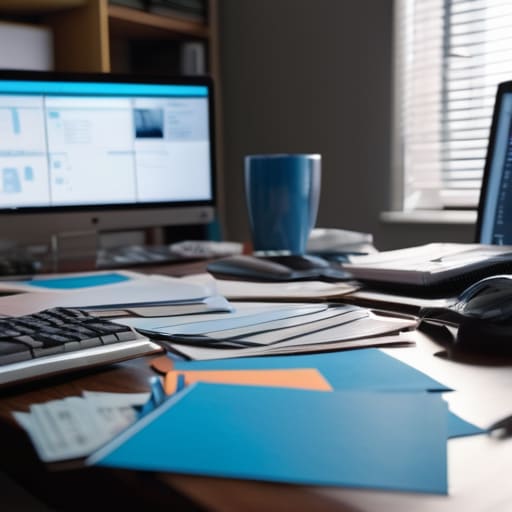
We’ve reached a point where we spend more time organizing our digital workspace than actually doing the work itself. I see it constantly in my consulting sessions: professionals who have mastered every shortcut in Notion or Asana, yet feel completely drained by 2:00 PM. This is the trap of cognitive load from software. When you spend your morning toggling between a dozen different tabs just to find a single project update, you aren’t being productive; you’re just performing digital housekeeping.
To break this cycle, you have to stop treating your tech stack like a collection of toys and start treating it like a specialized toolkit. This means embracing a bit of digital minimalism for productivity. If a piece of software doesn’t directly facilitate a deep-work session, it’s likely just a source of friction. My rule of thumb is simple: if a tool requires more than ten minutes of “maintenance” a week to stay relevant, it’s probably more of a burden than a benefit. We need to stop servicing our software and start reclaiming our ability to actually think.
Reducing Notification Overload to Reclaim Your Mental Space

We need to talk about the constant, Pavlovian urge to check every ping, buzz, and red dot on your screen. Every time a notification breaks your concentration, it’s not just a momentary distraction; it’s a massive spike in your cognitive load from software. It takes much longer to get back into a state of deep work than most people realize. I’ve spent years watching professionals burn out not because they lacked talent, but because they were being micro-interrupted every ninety seconds by a Slack message or a marketing email.
If you want to actually reclaim your sanity, you have to treat your attention like a finite resource—because it is. Start by practicing a version of digital minimalism for productivity: audit your alerts and kill anything that isn’t mission-critical. If it doesn’t require an immediate, high-stakes response, it doesn’t deserve a push notification. Move toward a system where you pull information when you are ready to process it, rather than letting your devices push chaos onto you all day long.
Five Rules for Auditing Your Digital Stack
- Audit your tools with the same scrutiny I use when restoring a mid-century chair. If a piece of software doesn’t serve a clear, functional purpose in your daily workflow, it’s just clutter. If you haven’t opened it in two weeks, delete it or archive it.
- Adopt a “One In, One Out” policy. Every time you feel the urge to download a new productivity app to solve a problem, you must first decommission an existing tool. This prevents the slow creep of software bloat that eventually leads to decision paralysis.
- Build “Analog Buffers” into your schedule. I don’t care how advanced your tablet is; nothing beats the tactile clarity of a physical notebook for deep thinking. Schedule at least thirty minutes of non-digital time every day to process your thoughts without a screen staring back at you.
- Stop treating every notification like a fire drill. Group your tool usage into specific blocks of time rather than letting them bleed into your entire day. If you’re doing deep work, your communication tools should be dead to the world.
- Prioritize integration over isolation. Stop using five different apps that don’t talk to each other. If your tools require manual data entry just to bridge the gap between them, you aren’t using a system—you’re performing unpaid digital labor.
The Bottom Line: Cutting the Digital Cord
Audit your toolkit with ruthlessness; if a piece of software doesn’t actively reduce your friction, it’s just another thing you’re servicing.
Prioritize deep work over constant connectivity by treating your focus as a finite resource rather than an infinite well.
Build systems, not just habits, so that your productivity relies on reliable workflows rather than the latest shiny notification.
The High Cost of Digital Clutter
We’ve reached a point where we spend more time maintaining our productivity systems than actually doing the work they were meant to support. If your toolkit feels like a second job, it’s not a solution—it’s a distraction.
Emmett Kowalski
Reclaiming Your Agency

At the end of the day, fighting digital fatigue isn’t about finding that one “perfect” app that promises to fix everything; it’s about the discipline of subtraction. We’ve looked at how to shift your focus away from software management, how to silence the relentless hum of notifications, and how to build systems that actually support your workflow instead of complicating it. If you find yourself spending more time configuring a tool than actually doing the work it was meant for, it’s time to let it go. Real efficiency comes from intentionality, not from having the most robust tech stack in the room. Remember, a tool is only successful if it gets out of your way.
I want you to take a moment to look at your digital workspace and ask yourself a hard question: Is this setup serving me, or am I serving it? We often mistake digital busyness for actual progress, but true productivity is much quieter than that. It’s the ability to sit down, engage deeply with a single task, and finish the day without feeling like your brain has been scraped thin by a thousand tiny interruptions. Stop chasing the next shiny feature and start protecting your mental bandwidth. You deserve a life that is defined by your output and your presence, not by the number of tabs you have open.
Frequently Asked Questions
How do I distinguish between a tool that's actually broken and a tool that just requires a better workflow?
Before you toss a tool in the trash, ask yourself: am I fighting the software, or am I fighting my own lack of a process? If you can’t explain exactly where the friction is—like a specific step that feels clunky—you don’t have a tool problem; you have a workflow problem. A broken tool fails to perform its core function. A bad workflow just makes a perfectly good tool feel like a burden.
What do I do when my entire team insists on using a new platform that I know is just going to add more noise?
Don’t fight the tool; fight the implementation. If the team is dead-set on a new platform, your job isn’t to play gatekeeper—it’s to design the boundaries. Instead of saying “no,” say “yes, if.” Agree to the platform, but mandate strict protocols: no notifications after 6 PM, a single designated channel for urgent requests, and a sunset clause for old tools. If it doesn’t streamline the workflow within thirty days, it goes.
Is it possible to stay competitive in a fast-moving industry without constantly adopting every new piece of software?
Absolutely. In fact, I’d argue that constant pivoting is actually a competitive disadvantage. When you’re busy learning the UI of a new project management tool, you aren’t actually doing the work. Staying competitive isn’t about having the latest shiny object; it’s about having a robust, repeatable system. Master your core workflow first. If a new tool solves a specific, recurring friction point in that system, then—and only then—do you pull the trigger.
