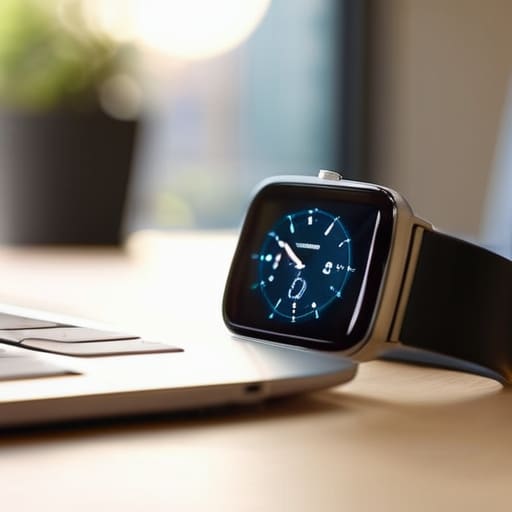
I spent the better part of last Tuesday watching a client spiral because her wrist wouldn’t stop buzzing. Every time a “priority” email pinged or a social media notification flared up, her focus shattered like cheap glass. We’ve been sold this lie that smartwatch productivity is about being constantly connected, but in my experience, it’s usually just a high-tech way to ensure you never experience a single moment of deep work. If your device is just a tiny, vibrating portal to every distraction in the digital universe, you aren’t being productive; you’re just being reactive.
I’m not here to pitch you a list of shiny new apps or tell you that you need the latest titanium model to get things done. Instead, I want to show you how to strip away the noise and use these tools to reclaim your attention. We are going to talk about setting boundaries, filtering the chaos, and building a system where your watch serves your workflow rather than hijacking it. My goal is to help you turn that piece of hardware into a silent partner that actually protects your time.
Table of Contents
- Minimizing Digital Distractions With Intentional Haptic Feedback
- Optimizing Workflow With Wearables Without Losing Your Soul
- Five Rules for Making Your Watch Work for You (Not the Other Way Around)
- The Bottom Line: Making the Tech Work for You
- The Tool vs. The Tether
- Reclaiming Your Rhythm
- Frequently Asked Questions
Minimizing Digital Distractions With Intentional Haptic Feedback
Most people treat their smartwatch like a second smartphone strapped to their arm, which is a recipe for constant interruption. If your wrist is buzzing every time a random newsletter hits your inbox, you aren’t being productive—you’re just being reactive. To actually make progress, you need to shift your approach toward minimizing digital distractions by treating haptic feedback as a precision tool rather than a constant stream of noise.
I recommend a strict triage system for your notifications. Instead of letting every app fight for your attention, configure your device so that only high-priority alerts—think direct messages from your team or urgent calendar shifts—trigger a physical vibration. By utilizing haptic feedback for focus, you can learn to recognize specific vibration patterns. A short, sharp tap might mean a meeting is starting, while a different rhythm could signal a task deadline. This allows you to stay present in your deep work without constantly glancing at a screen, effectively using your sense of touch to filter the world rather than letting it bleed into your concentration.
Optimizing Workflow With Wearables Without Losing Your Soul
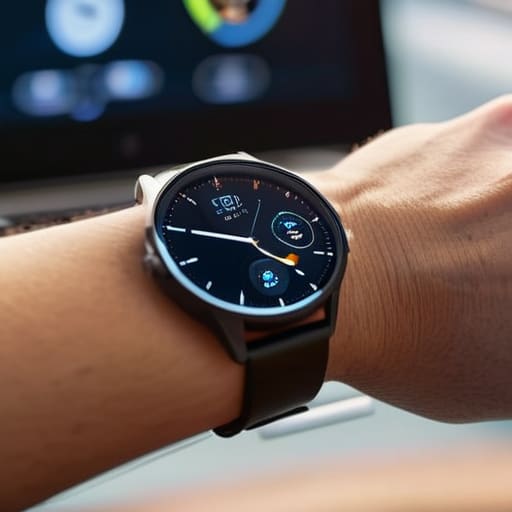
The trap most people fall into is treating their wearable like a second smartphone strapped to their arm. If you’re just mirroring every single notification, you aren’t optimizing your time; you’re just decentralizing your distractions. To actually achieve optimizing workflow with wearables, you have to treat the device as a high-level filter, not a megaphone. I tell my clients to view the watch as a “glanceable” interface—it’s there to give you the essential signal without requiring you to dive into the digital rabbit hole.
A practical way to implement this is through disciplined wrist-based task management. Instead of scrolling through a bloated to-do list on your phone, use your watch to surface only your top three high-leverage tasks for the hour. When you pair this with seamless smartwatch calendar integration, you create a closed loop of awareness that keeps you moving through your schedule without the frantic urge to check your email every five minutes. It’s about building a system that supports your momentum rather than one that constantly interrupts it.
Five Rules for Making Your Watch Work for You (Not the Other Way Around)
- Curate your notification list with ruthless efficiency. If an alert doesn’t require an immediate decision or an urgent action, it doesn’t belong on your wrist. Silence the social media pings and the endless news updates; keep only the high-signal communications that actually move the needle.
- Use voice commands to offload mental clutter. When a thought hits you mid-walk or during a commute, don’t try to memorize it. Dictate a quick task or a calendar event immediately. It’s about clearing that cognitive space so you can get back to the task at hand.
- Leverage glanceable data, not deep dives. Your watch is for quick status checks—checking a calendar slot, a weather update, or a timer. If you find yourself scrolling through a sub-menu for more than five seconds, you’ve already lost the battle against distraction.
- Set “Do Not Disturb” windows that actually mean something. I use my watch to signal my focus blocks. If my wrist isn’t lighting up, I know I’m in the zone. Sync these windows with your phone so your entire ecosystem respects your deep work sessions.
- Treat your watch as a physical timer for time-blocking. Instead of looking at a screen, use a haptic timer to signal the end of a sprint or the start of a break. It provides a gentle, tactile nudge that keeps you grounded in your schedule without the jarring interruption of a loud phone alarm.
The Bottom Line: Making the Tech Work for You
Treat your smartwatch as a filter, not a megaphone; if a notification doesn’t require an immediate, high-stakes response, it shouldn’t be vibrating on your skin.
Use haptics to build a physical boundary between you and your digital clutter, allowing you to stay present in your physical environment while staying informed.
Avoid the trap of “notification chasing”—the goal isn’t to respond to everything faster, but to ensure you’re only responding to what actually moves the needle.
The Tool vs. The Tether
“A smartwatch shouldn’t be a miniature version of the chaos in your pocket; it should be a filter that lets the essential signal through while the noise stays exactly where it belongs—on the sidelines.”
Emmett Kowalski
Reclaiming Your Rhythm
At the end of the day, a smartwatch shouldn’t be a miniature version of the chaos sitting in your pocket. We’ve looked at how to use haptic feedback to filter out the junk and how to integrate these devices into your workflow without letting them hijack your attention. The goal isn’t to become more “connected”—it’s to use the hardware to curate your focus. If you aren’t using your wearable to protect your deep work sessions or to signal when it’s time to step away from the screen, then it’s just another piece of expensive clutter on your wrist. Systems over gadgets, always.
I spent years watching people drown in notifications, thinking that more data meant more control. It doesn’t. Real efficiency comes when you decide what deserves your energy and what doesn’t. Use your tech to build a perimeter around your time, not to invite more noise into your headspace. When you finally get the settings right, you’ll realize that the most productive thing a device can do is get out of your way so you can actually do the work that matters. Now, go put that phone in another room and get to it.
Frequently Asked Questions
How do I stop my watch from becoming another source of anxiety rather than a tool for efficiency?
The anxiety comes from the constant “tap on the shoulder” effect. If your wrist is buzzing every time someone likes a photo on Instagram, it’s not a tool; it’s a leash. Strip it down. Turn off everything except the essentials—calls, texts, and calendar alerts. If a notification doesn’t require an immediate decision, it doesn’t belong on your wrist. Reclaim that physical space. Your watch should signal importance, not just noise.
Is there a way to sync my smartwatch with my existing workflow without adding more "app fatigue" to my day?
The short answer is yes, but only if you stop treating your watch like a second phone. To avoid app fatigue, don’t download new task managers for your wrist. Instead, use your watch as a simple bridge for what you already use. Set up basic notifications for your primary calendar or a single “urgent” tag in your existing task list. If you aren’t using it to glance and move on, it’s just more noise.
At what point does wearing a smartwatch stop being a productivity aid and start becoming a constant digital leash?
It becomes a leash the moment you stop using the device to filter information and start using it to react to it. If you find yourself glancing at your wrist every time it buzzes—not to check a vital notification, but out of a compulsive need to see if you’re being “needed”—you’ve lost the edge. When the device dictates your attention rather than protecting it, it’s no longer a tool; it’s a distraction you’ve strapped to your body.
