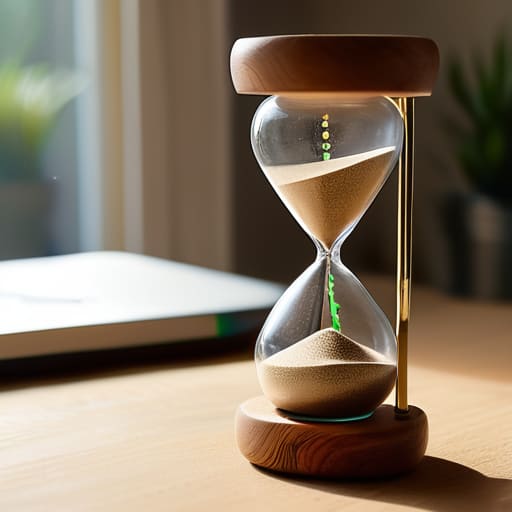
I was sitting in my studio last Tuesday, surrounded by the scent of walnut oil and sandpaper, trying to finish a client’s workflow audit. My phone pinged with yet another notification from a “revolutionary” productivity app—one that promised to gamify my concentration using complex AI-driven focus timers. I stared at the screen, then at my half-finished sanding block, and felt that familiar, heavy surge of digital fatigue. We’ve been sold this lie that we need more bells, whistles, and subscription models to manage our attention, when in reality, most of these high-tech tools are just more noise masquerading as solutions.
I’m not here to sell you on the latest shiny gadget or a complicated Pomodoro setup that requires a PhD to navigate. My goal is to strip away the fluff and help you build a system that actually respects your mental bandwidth. I’m going to share how I use simple, intentional focus timers to reclaim my day, focusing on functional simplicity rather than feature bloat. We’re going to stop chasing the dopamine hits of new software and start building the sustainable habits that actually let you get your best work done.
Table of Contents
- Why Pomodoro Technique Benefits Outperform Complex Software
- Mastering Cognitive Load Management Without New Tools
- Five Ways to Use a Timer Without Losing Your Mind
- The Bottom Line: Focus on Flow, Not Features
- ## The Trap of Digital Complexity
- Stop Chasing the Clock, Start Owning Your Time
- Frequently Asked Questions
Why Pomodoro Technique Benefits Outperform Complex Software

I’ve seen it a hundred times: a professional buys a premium subscription for a “productivity suite” that promises to revolutionize their life, only to spend more time configuring the settings than actually working. We fall into this trap of thinking complexity equals capability. In reality, complex software often adds to your cognitive load management struggles rather than solving them. Every notification, custom dashboard, and automated sync is just another layer of friction between you and your output.
The beauty of the Pomodoro technique lies in its brutal simplicity. It doesn’t require a subscription or a steep learning curve; it just requires a commitment to a rhythm. By utilizing basic intervals, you aren’t just managing minutes; you are implementing one of the most effective deep work strategies available. It forces you to respect the boundary between effort and rest. When you strip away the bells and whistles of heavy software, you stop managing an app and start managing your own attention. That is where real productivity workflow optimization actually begins.
Mastering Cognitive Load Management Without New Tools

We often mistake “more features” for “more focus.” I’ve seen countless clients download every productivity app on the market, only to spend more time configuring settings than actually producing work. This is a classic trap. True cognitive load management isn’t about adding a new layer of digital complexity; it’s about stripping away the unnecessary. When you’re constantly toggling between notifications and setting up custom automation, you aren’t working—you’re just managing the illusion of work.
To actually make progress, you need to prioritize your mental bandwidth. Instead of hunting for a smarter interface, try implementing basic deep work strategies like clearing your physical workspace and silencing your phone. If your desk is cluttered and your tabs are overflowing, no amount of fancy software will save your concentration. I’ve found that the most effective way to optimize your output is to treat your attention as a finite resource. Stop trying to automate your focus and start protecting your headspace by simplifying your environment.
Five Ways to Use a Timer Without Losing Your Mind
- Stop looking for the “perfect” app. Whether it’s a physical kitchen timer, a basic stopwatch on your phone, or a dedicated desktop tool, the mechanism doesn’t matter. What matters is the psychological boundary it creates between “doing” and “resting.”
- Match your interval to your actual energy, not a productivity guru’s schedule. If 25 minutes feels like a sprint that leaves you exhausted, try 50 minutes of deep work followed by a 10-minute break. Forcing a rhythm that fights your biology is just another way to burn out.
- Use the timer as a hard stop, not a suggestion. When that alarm goes off, stand up. Walk away from the screen. If you train yourself to ignore the timer to “just finish one more thing,” you’ve effectively rendered the tool useless.
- Treat your break time as sacred. A focus timer is a two-part contract: you give it undivided attention, and it gives you permission to fully disconnect. If you spend your “break” scrolling through emails, you aren’t resting; you’re just multitasking poorly.
- Audit your friction. If you find yourself constantly tweaking settings or searching for new timer features, you’re procrastinating under the guise of “optimization.” Pick one method, set it, and get back to the work that actually moves the needle.
The Bottom Line: Focus on Flow, Not Features
Stop looking for a “perfect” app to fix your attention span; a simple, analog timer is often more effective than a feature-heavy digital one.
Protect your cognitive energy by building strict boundaries around your deep work sessions rather than trying to manage every single notification.
Real productivity isn’t about how many tools you own, but about how well your existing systems clear the path for your most important work.
## The Trap of Digital Complexity
“A timer isn’t a productivity hack or a new feature to master; it’s just a boundary. If you need a subscription-based dashboard to tell you when to work and when to breathe, you aren’t managing your time—you’re just decorating your distractions.”
Emmett Kowalski
Stop Chasing the Clock, Start Owning Your Time

At the end of the day, the goal isn’t to find the most aesthetically pleasing timer app on the App Store or to master a complex new digital ritual. We’ve looked at why the simplicity of the Pomodoro technique often beats out bloated software and how managing your cognitive load is far more important than any notification setting. The takeaway is simple: focus is a muscle, not a software feature. You don’t need a subscription to reclaim your attention; you just need the discipline to set a timer, clear the mental clutter, and commit to the task in front of you. Stop letting the pursuit of the perfect tool become another way to procrastinate.
I know how easy it is to fall into the trap of “productivity porn”—that endless loop of searching for the next hack that will finally make work feel effortless. But real efficiency isn’t about doing more; it’s about making space for what matters most. When you stop obsessing over the mechanics of the timer and start focusing on the quality of your presence, everything changes. Use the tools you have, build systems that serve your actual life, and then get back to the work. That is where the real progress happens.
Frequently Asked Questions
How do I handle interruptions when a timer is running without breaking my entire flow?
When an interruption hits, don’t fight it—manage it. If it’s a true emergency, take it, but use a physical notebook to jot down exactly where your train of thought derailed. This “interruption log” acts as an external hard drive for your brain. Once the distraction passes, don’t try to jump back into the deep end immediately. Look at your note, reset your timer, and spend two minutes re-orienting before diving back in.
Is there a way to adjust the standard intervals if the 25-minute block feels too short or too long for deep work?
Absolutely. The 25-minute rule is a starting point, not a law. If you’re hitting a flow state and that timer goes off, ignore it. Forcing a break during deep work is just another way of letting a tool disrupt your rhythm. Try 50 or 90-minute blocks instead; these longer stretches often suit complex, high-level cognitive tasks better. Just ensure your breaks stay meaningful. The goal is rhythm, not rigid adherence to a clock.
At what point does tracking my focus time become a distraction in itself?
The moment you spend more time tweaking your settings or analyzing your data than actually doing the work, you’ve crossed the line. If you’re obsessing over a 2% dip in your focus score instead of just getting back to the task at hand, the tool has become the obstacle. Data is meant to inform your systems, not become a new source of anxiety. If it feels like a chore, stop tracking and start working.
