
I spent most of my twenties in windowless logistics hubs, surrounded by stacks of outdated manuals and enough tangled cables to jumpstart a small city. I remember sitting at my desk one Tuesday, staring at a mountain of half-empty coffee mugs and sticky notes, feeling like my brain was physically suffocating under the weight of it all. It wasn’t just a messy desk; it was a mental tax I was paying every single second I tried to focus. We’ve been sold this lie that a “productive” space requires the latest ergonomic gadgets or expensive modular organizers, but most of that is just more noise. Real workstation decluttering isn’t about buying a new aesthetic; it’s about stripping away the friction that stops you from actually doing your job.
I’m not here to sell you a lifestyle brand or a way to make your desk look “Instagrammable.” I want to show you how to build a system that actually serves your workflow instead of demanding your constant maintenance. I’ll be sharing the pragmatic, no-nonsense tactics I use to audit my physical and digital space, focusing on intentionality over aesthetics. We’re going to cut the junk, simplify your setup, and finally make room for the work that actually matters.
Table of Contents
- Reclaim Your Focus Through Ergonomic Desk Setup Mastery
- Digital Workspace Decluttering Stop Chasing Apps Start Building Systems
- Five Ways to Stop Managing Your Desk and Start Using It
- The Bottom Line: Systems Over Stuff
- The Cost of Visual Noise
- The Path to a Sustainable System
- Frequently Asked Questions
Reclaim Your Focus Through Ergonomic Desk Setup Mastery
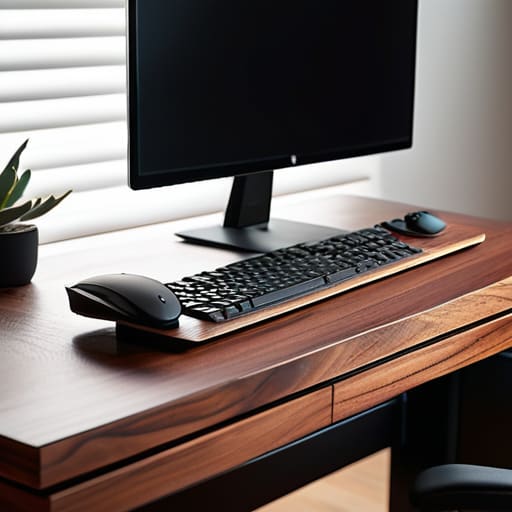
Most people treat their desk like a storage unit, but it should function like a cockpit. If you’re constantly twisting your neck to reach a monitor or fighting a tangled mess of wires under your feet, you aren’t working; you’re just managing physical friction. A true ergonomic desk setup isn’t about buying a $1,000 chair—though that helps—it’s about intentionality. I want your primary tools within a natural reach, positioned so your body isn’t fighting against your environment every hour.
This is where the physical meets the mental. When your space is a chaotic web of cords and loose papers, your brain stays in a state of low-level alert. I always suggest starting with some basic desk cable management tips to clear the visual noise. Get those wires off the floor and tucked behind the frame. When you eliminate that visual static, you stop reacting to the mess and start focusing on the task. It’s about creating a frictionless zone where your only job is to do the work, not to navigate around your own gear.
Digital Workspace Decluttering Stop Chasing Apps Start Building Systems
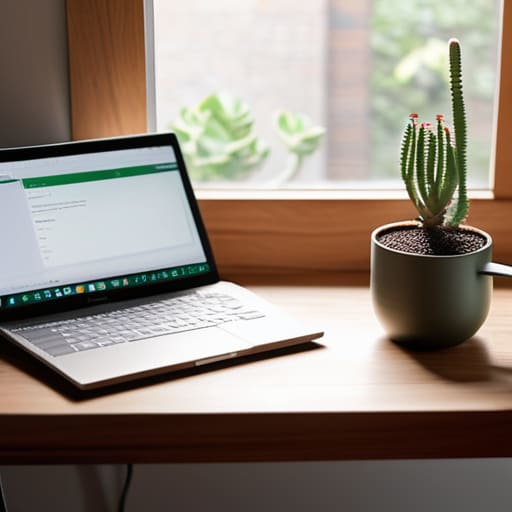
Most people think they have a productivity problem when they actually have a “tab” problem. You spend half your morning hunting for that one spreadsheet or trying to remember which Slack channel holds the project brief, and before you know it, your brain is fried. Digital workspace decluttering isn’t about downloading a new, shiny task manager; it’s about the discipline of intentionality. If you haven’t touched a file in six months, archive it. If you have twenty browser tabs open, close them. Your digital environment should be a clean slate every morning, not a graveyard of half-finished thoughts.
Stop looking for the “perfect” app to fix your chaos. Instead, focus on building a repeatable system. I’m a big believer in a daily workspace maintenance routine—ten minutes at the end of your shift to clear your desktop, close your windows, and prep your digital space for tomorrow. This isn’t just about tidiness; it’s about minimizing office distractions before they even have a chance to derail your focus. When your files are where they belong, you stop fighting your tools and start actually doing the work.
Five Ways to Stop Managing Your Desk and Start Using It
- Audit your physical touchpoints. If you haven’t touched a specific gadget, cable, or notebook in the last two weeks, it doesn’t belong in your immediate workspace. Move it to a drawer or a storage bin. Your desk is a cockpit, not a warehouse.
- Implement a “one-in, one-out” rule for desktop items. Every time you bring a new piece of hardware or a fresh planner into your zone, something else has to be retired or relocated. This prevents the slow creep of clutter that happens when we think “I might need this later.”
- Tame the cable jungle. Tangled cords are visual noise that drains your mental energy without you even realizing it. Use simple clips or sleeves to route everything behind your desk. If you can’t see the mess, your brain stops trying to process it.
- Curate your “active” stationery. I know it’s tempting to keep every pen and notepad within reach, but a cluttered surface leads to a cluttered mind. Keep one reliable pen and one notebook on your desk; everything else stays in a dedicated organizer.
- End every day with a five-minute reset. Clear the coffee mugs, file the loose papers, and wipe the surface. You aren’t just cleaning; you are setting a professional stage for tomorrow’s version of you so they don’t start the morning in a deficit.
The Bottom Line: Systems Over Stuff
Stop treating your desk like a storage unit; if a tool doesn’t serve a specific, repeatable function in your workflow, it’s just expensive clutter.
Prioritize your physical and digital environment to support your biology, not your ego—build a setup that reduces friction rather than one that looks good for a screenshot.
True efficiency isn’t about adding more layers of software, but about stripping away the distractions until only the essential systems remain.
The Cost of Visual Noise
A cluttered desk isn’t just a mess; it’s a constant, silent demand on your attention. Every stray cable and unneeded gadget is a tiny leak in your focus. Stop managing your stuff and start managing your space, so your tools can finally get out of your way.
Emmett Kowalski
The Path to a Sustainable System

At the end of the day, decluttering isn’t a one-time event or a weekend project you check off a list; it’s an ongoing commitment to your own mental clarity. We’ve covered everything from the physical ergonomics of your desk to the digital noise that eats your focus, but the common thread is simple: stop servicing your setup and start using it. Whether you are clearing the physical junk off your surface or ruthlessly pruning your app notifications, the goal is to ensure your environment supports your work rather than demanding your constant attention. If a tool or a piece of hardware doesn’t serve a specific, functional purpose, it is just unnecessary friction standing between you and your best work.
I want you to remember that your workstation is a tool, not a monument to your busyness. You don’t need the latest gadget or a complex new software suite to be effective; you just need a space that allows you to breathe and think. When you strip away the excess, you aren’t just cleaning a desk—you are reclaiming your cognitive bandwidth. Go ahead and clear the chaos, not so you can have a prettier office, but so you can finally find the space to do the work that actually matters. Build systems that work for you, and then get out of your own way.
Frequently Asked Questions
How do I decide which physical items are actually essential and which are just "clutter" I've grown used to?
Stop asking if you like an item and start asking how often it actually earns its keep. I use a simple rule: if it hasn’t crossed my desk in a week, it doesn’t belong in my immediate workspace. If it’s a “just in case” item, it goes in a drawer or a different room. Your desk is a high-performance zone, not a storage unit. If it isn’t actively helping you execute, it’s just noise.
I have a massive backlog of digital files; where do I even start without feeling completely overwhelmed?
Don’t try to organize everything at once; that’s a recipe for paralysis. Start with a “holding pen.” Create one folder named “Archive [Today’s Date]” and dump the entire mess into it. Now, your workspace is clean. From there, only pull files out of that folder when you actually need them. You’re building a system based on real-time utility rather than chasing an impossible ideal of perfect organization. Just start moving.
How often should I be auditing my setup to make sure I haven't drifted back into old, chaotic habits?
Don’t wait for a total meltdown to reset. I treat my setup like the furniture I restore: it needs regular maintenance to stay functional. Aim for a deep audit once a month, but keep a weekly “reset” ritual on Friday afternoons. Clear the physical scraps, close the rogue tabs, and reset your desktop. If you wait until the chaos is overwhelming, you’ve already lost the battle against the mental load.
