I spent fifteen years in the trenches of tech logistics, watching brilliant people drown in a sea of “productivity” apps that promised to save time but only succeeded in stealing it. We’ve been sold this lie that if we just find the right subscription service or the most complex digital ecosystem, our chaos will finally vanish. It’s a cycle of constant notification fatigue and digital clutter that leaves your brain feeling completely fried. I’ve realized that the most sophisticated tool in my arsenal isn’t a piece of software; it’s the tactile, uninterrupted focus that comes from using paper planners.
I’m not here to sell you on some aesthetic, Instagram-ready stationery trend or tell you to buy a $60 notebook just to feel organized. My goal is to show you how to build a system that actually works for your specific workflow. I’m going to share the exact, no-nonsense methods I use to strip away the digital noise and reclaim my mental bandwidth. If you’re tired of chasing the next big app and just want a way to get your life under control, let’s get to work.
Table of Contents
The Cognitive Benefits of Handwriting Notes Over Digital Noise

The problem with digital note-taking is that it’s too easy to go on autopilot. When you’re typing, your brain is often just a glorified transcription machine, racing to keep up with the cursor without actually processing the information. I’ve seen this play out in countless client workflows: people spend hours documenting meetings only to realize they didn’t actually absorb a single meaningful detail. There are significant cognitive benefits of handwriting notes that a keyboard simply cannot replicate. When you physically move a pen across a page, you’re engaging your motor skills and forcing your brain to summarize and prioritize in real-time.
This intentionality is the secret sauce of effective analog productivity systems. By slowing down the input process, you’re essentially performing a real-time edit of your own thoughts. You aren’t just recording data; you’re synthesizing it. This mental friction—the slight delay between thought and ink—is exactly what helps move information from your short-term working memory into something more permanent. It turns a chaotic stream of consciousness into a structured, actionable plan.
Building Analog Productivity Systems That Actually Stick
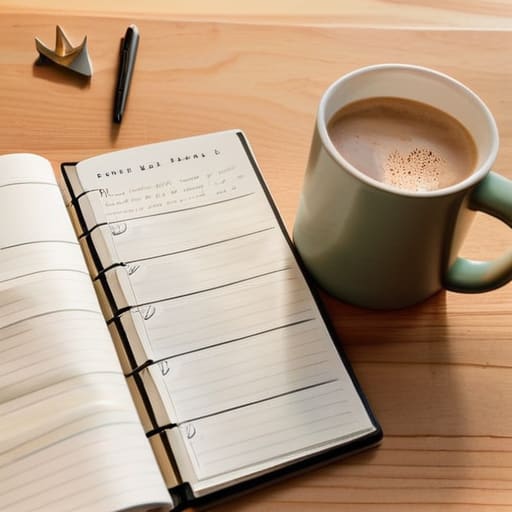
The mistake I see most often when people transition away from digital chaos isn’t the lack of a tool, but the lack of a repeatable process. They buy a beautiful, leather-bound notebook and then abandon it three days later because they tried to turn it into a complex art project. If you want to build analog productivity systems that actually survive a Tuesday afternoon meltdown, you have to prioritize function over aesthetics. Start by choosing a single, consistent method—whether that’s a simplified version of bullet journal methods or a standard dated layout—and stick to it until it becomes muscle memory.
Consistency is the only way to reduce your mental load. I recommend setting a “system ritual”: five minutes every morning to map out your non-negotiables and five minutes every evening to clear the deck for tomorrow. Use specific planner layouts for time management that allow you to see your time blocks clearly, rather than just a never-ending grocery list. When your system is predictable, you stop spending energy figuring out how to work and start actually doing the work.
Five Ways to Make Your Planner Work for You (Not Against You)
- Stop trying to track every single minute of your day. A planner isn’t a cage; it’s a map. Focus on your three non-negotiable tasks for the day and let the rest be fluid. If you overschedule, you’ll just end up feeling defeated by 2:00 PM.
- Keep your tools within arm’s reach. I’ve seen too many people abandon a great system because their planner was buried under a stack of mail in another room. If it’s not on your desk or in your bag, it doesn’t exist.
- Use color sparingly to avoid visual clutter. I used to think a rainbow of highlighters made me organized, but it actually just created more mental noise. Pick two colors—one for deadlines, one for personal commitments—and leave the rest of the page clean.
- Embrace the “brain dump” ritual. Every Sunday evening, clear your head by writing down every nagging task or thought onto a scrap piece of paper, then selectively migrate only the vital ones into your planner. This prevents that mid-week feeling of being overwhelmed by a mental to-do list.
- Review your progress, don’t just record it. At the end of each week, take five minutes to look back at what actually got done and what got pushed to next week. This isn’t about guilt; it’s about identifying where your workflow is actually breaking down so you can fix the system.
The Bottom Line: Simplify to Amplify
Stop treating your planner like a digital graveyard for every random thought; use it only for the high-leverage tasks that actually move the needle.
Embrace the friction of handwriting as a feature, not a bug—it forces you to slow down and actually commit to your schedule rather than mindlessly clicking boxes.
Build a system that works for your brain, not for the aesthetic; if a complex setup feels like more work than the job itself, scrap it and go back to basics.
## The Digital Trap
We’ve been sold this lie that more features equals more focus, but all a complex app really does is give you more ways to procrastinate. A paper planner doesn’t ping you, it doesn’t suggest a new subscription, and it doesn’t demand your attention; it simply sits there, waiting for you to decide what actually deserves your time.
Emmett Kowalski
Reclaiming Your Focus
At the end of the day, a paper planner isn’t about being “old school” or resisting progress; it’s about intentionality. We’ve spent the last few sections looking at how handwriting anchors your focus and how a physical system prevents the endless cycle of app-switching that drains our mental energy. By moving your most critical tasks from a glowing screen to a tangible page, you aren’t just organizing your time—you are protecting your attention. Stop letting your schedule be dictated by a device designed to distract you. Use the paper to build a barrier between your deep work and the digital chaos that constantly tries to interrupt it.
I know the temptation to download the latest productivity suite is strong, but I’ve learned through years of consulting that complexity is often just a mask for procrastination. Real efficiency doesn’t come from a feature-rich interface; it comes from the clarity of knowing exactly what needs to happen next. Grab a decent notebook, find a pen that actually feels good in your hand, and start small. You don’t need a perfect system to begin; you just need a way to make space for what actually matters. Give yourself permission to unplug from the noise and rediscover the calm that comes with true, focused productivity.
Frequently Asked Questions
How do I stop my paper planner from becoming just another graveyard of half-finished lists and abandoned goals?
The mistake most people make is treating their planner like a wish list rather than a roadmap. If you’re filling pages with “someday” goals, you’re just creating clutter. Stop trying to schedule every minute. Instead, pick three non-negotiables each morning. If it doesn’t fit into those three slots, it doesn’t get written down. Keep the friction low. A planner shouldn’t be a monument to your ambitions; it should be a tool for your reality.
Is there a way to bridge the gap between my analog planning and the digital calendars I'm forced to use for work?
Don’t try to sync them; you’ll just end up fighting two different masters. Instead, treat your digital calendar as the “hard landscape”—the unmovable appointments and meetings you can’t escape. Use your paper planner for the “soft landscape”—your actual focus time, deep work blocks, and the tasks that require intention. Once a week, do a manual audit to ensure your paper goals aren’t colliding with your digital reality. Keep them separate, but aware.
What’s the best way to choose a planner layout that actually supports a workflow instead of just adding more clutter to my desk?
Don’t buy a planner because the layout looks pretty on Instagram. That’s how you end up with a desk full of expensive, unused paper. Look at your actual workflow: do you need to track granular hourly tasks, or are you a “big picture” person who just needs a space for three main objectives? If you’re constantly jumping between meetings, a daily layout works. If you manage long-term projects, go weekly. Match the grid to your brain, not the aesthetic.
