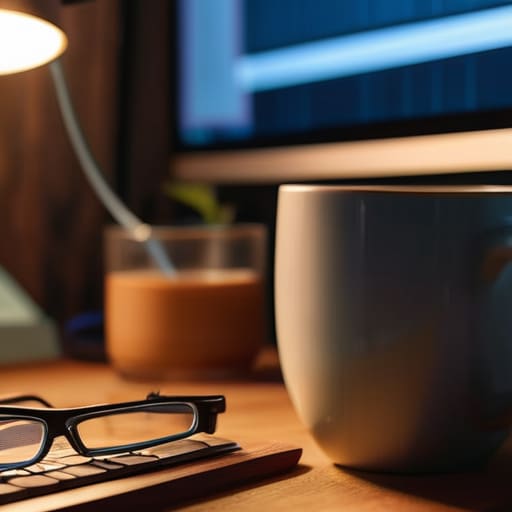
Stop wasting your money on those overpriced blue-light glasses that promise to magically fix your vision. I’ve seen enough “revolutionary” gadgets in my years as a consultant to know that most of them are just expensive distractions from the actual problem. You don’t need a subscription-based app or a pair of designer frames to solve your discomfort; you need to stop treating eye strain prevention like a tech problem that requires a hardware upgrade. The truth is, your eyes aren’t broken—your workflow is.
I’m not here to sell you a lifestyle brand or a list of unproven wellness trends. Instead, I’m going to share the practical, low-friction systems I use to keep my focus sharp without the constant, throbbing headache. We’re going to skip the fluff and focus on intentional habits and environmental tweaks that actually respect your biology. My goal is to help you build a workspace that supports your eyes rather than draining them, so you can get your work done and actually enjoy your life once the laptop closes.
Table of Contents
- Recognizing Digital Eye Strain Symptoms Before They Win
- The 20 20 20 Rule for Eyes Reclaiming Your Focus
- Systems Over Software: 5 Ways to Stop the Burn
- Cutting Through the Noise: My Three Rules for Digital Eye Health
- The Cost of Constant Connection
- Stop Fighting Your Tools and Start Protecting Your Vision
- Frequently Asked Questions
Recognizing Digital Eye Strain Symptoms Before They Win

The problem is that we’ve become experts at ignoring the subtle warnings our bodies send us. We treat a dull ache behind the eyes or a slight tightness in the temples as just “part of the job,” but that’s a mistake. Most of my clients don’t realize they’re suffering from digital eye strain symptoms until they’re staring at a screen through a literal fog, or until a tension headache forces them to shut down for the day. It’s not just about tired eyes; it’s the dryness, the blurred vision, and that strange, heavy feeling in your neck that tells you your system is redlining.
Don’t wait for the headache to become a crisis. If you find yourself squinting at a spreadsheet or rubbing your eyes every twenty minutes, your body is already asking for a reset. You don’t need a complex medical intervention to start; often, simple eye fatigue exercises or just acknowledging that your focus is slipping is enough to catch it early. Listen to those micro-signals. If you ignore them, you aren’t being productive—you’re just borrowing energy from tomorrow to power a workday that isn’t even sustainable.
The 20 20 20 Rule for Eyes Reclaiming Your Focus

Look, I’ve spent enough time in logistics to know that if you don’t build pauses into a workflow, the whole system eventually crashes. Your eyes are no different. We tend to treat our vision like an infinite resource, staring at pixels for hours without a second thought, but that’s a recipe for burnout. This is where the 20-20-20 rule for eyes becomes your most practical tool. It’s not some complex biohacking ritual; it’s just a simple, disciplined reset.
Every twenty minutes, I set a timer to look at something at least twenty feet away for twenty seconds. It sounds almost too basic to work, but it forces your eye muscles to relax from that constant, tight focal point required by your screen. Think of it as a micro-break for your nervous system. Instead of searching for expensive blue light filtering glasses or complex software, just use this rhythm to provide immediate computer vision syndrome relief. It’s about reclaiming your focus by acknowledging that your brain—and your eyes—need a moment to breathe.
Systems Over Software: 5 Ways to Stop the Burn
- Fix your lighting, not your screen. If you’re working in a dark room with a glowing monitor, you’re setting yourself up for a headache. Get some natural light in the room or use a warm desk lamp to balance the contrast. It’s about the environment, not just the device.
- Stop the “squint and hope” method. If you find yourself leaning closer to the screen to read an email, your font size is too small. Increase the scaling in your settings and stop forcing your eye muscles to do unnecessary heavy lifting.
- Audit your workspace ergonomics. Your eyes shouldn’t be looking up at the top of the screen; the top of your monitor should be at or slightly below eye level. If you’re tilting your head constantly, your eyes are going to pay the price.
- Clean your gear. I’m serious. A layer of dust and fingerprints on your screen creates glare and micro-distractions that force your eyes to work harder to resolve images. Wipe it down once a week and keep the view clear.
- Use blue light filters as a last resort, not a cure-all. They can help with sleep hygiene in the evening, but they won’t fix the fact that you’ve been staring at a backlight for six hours straight. Use them, but don’t let them trick you into thinking you can skip the breaks.
Cutting Through the Noise: My Three Rules for Digital Eye Health
Stop hunting for the perfect blue-light filter app; the most effective tool you have is your own physical movement away from the desk.
Listen to the subtle cues—the slight headache or the dry sensation—rather than waiting for a full-blown migraine to force a break.
Treat your eyes like a finite resource in your workflow; if you don’t schedule intentional rest, your productivity will pay the price.
The Cost of Constant Connection
We treat eye strain like it’s a technical glitch we can patch with a new software update or a pair of expensive glasses, but it’s actually a signal. Your eyes aren’t broken; they’re just exhausted from a digital environment that wasn’t designed for human biology. Stop trying to optimize the screen and start respecting your need to look away.
Emmett Kowalski
Stop Fighting Your Tools and Start Protecting Your Vision
At the end of the day, preventing eye strain isn’t about finding a magic software patch or buying the most expensive-looking monitor on the market. It’s about recognizing when your body is signaling distress and actually listening to it. Whether you’re implementing the 20-20-20 rule, adjusting your workspace lighting, or simply learning to spot the subtle onset of a headache, the goal is the same: interrupting the cycle of digital fatigue. We have to stop treating our eyes like infinite resources that can run at 100% capacity from nine to five without a break. Systems beat willpower every single time, so build these small, intentional pauses into your workflow until they become as automatic as checking your email.
I spend a lot of my time helping people optimize their professional lives, and I see the same mistake constantly: people sacrifice their well-being in the name of “grinding.” But you can’t produce high-quality work if you’re squinting through a fog of exhaustion. Real efficiency isn’t about how many hours you can stare at a backlit screen; it’s about how well you manage your energy and your health so you can show up fully. Protect your focus by protecting your eyes. When you make space for rest, you aren’t being less productive—you’re making sure you have the clarity to do what actually matters.
Frequently Asked Questions
Is it actually worth investing in those expensive blue-light filtering glasses, or is it just marketing fluff?
Look, I’ll give it to you straight: for most people, those expensive blue-light glasses are more marketing fluff than actual medicine. I’ve seen the sales pitches, but they rarely address the root cause. If you’re staring at a screen for ten hours straight, a tinted lens isn’t a magic shield. Save your money. Instead, invest in a better monitor setup or simply force yourself to take real breaks. That’ll do more for your eyes than any overpriced frame.
How much does my physical workspace setup, like monitor height and lighting, actually impact my eye fatigue?
It’s everything. You can follow the 20-20-20 rule all day, but if your monitor is a foot too high or your desk lamp is casting a harsh glare on your screen, you’re fighting a losing battle. Your eyes are working overtime just to compensate for a bad setup. Lower your monitor so you’re looking slightly downward, and ditch the overhead lights for something soft. Fix the environment first; then the tools actually work.
If I'm working in a dark room at night, are there specific habits I should change to prevent long-term strain?
Working in the dark is a recipe for disaster. When your screen is the only light source, your pupils are constantly fighting to adjust between the glare and the shadows. It’s exhausting for your ocular muscles. Stop the “cave dweller” approach. At the very least, turn on a warm ambient lamp behind your monitor to soften the contrast. It’s not about fancy gear; it’s about creating a balanced environment so your eyes don’t have to work overtime.
