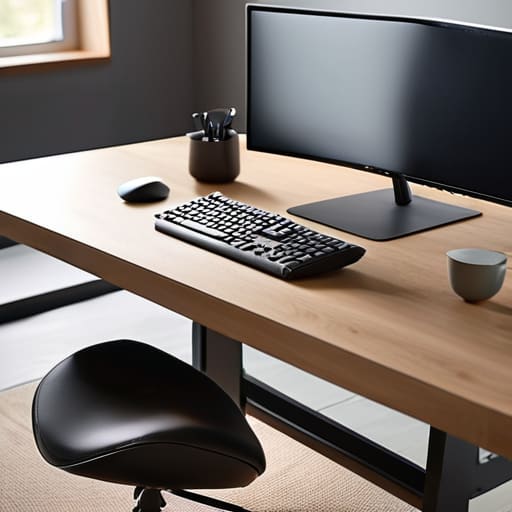
I remember sitting in a cramped corner office during my second year in logistics, nursing a tension headache that felt like a physical weight behind my eyes. I had spent twelve hours hunched over a monitor, convinced that if I just bought the most expensive, high-tech chair on the market, my body would magically stop protesting. But here’s the truth: you can spend three thousand dollars on a designer seat, but if your entire setup is fundamentally flawed, you’re just paying for an expensive way to be uncomfortable. Most advice regarding an ergonomic workstation is buried under layers of marketing fluff and overcomplicated jargon that ignores the most basic principle of workflow: your environment should support your movement, not restrict it.
I’m not here to sell you a catalog of overpriced gadgets or tell you that you need a motorized standing desk to be “productive.” Instead, I’m going to show you how to audit your current space using practical, common-sense adjustments that actually move the needle. We’re going to strip away the hype and focus on the few essential shifts in posture and placement that will reduce your physical strain. My goal is to help you build a setup that actually works for you, so you can stop fighting your desk and get back to the work that matters.
Table of Contents
Why Monitor Height Alignment Is Your Secret Weapon
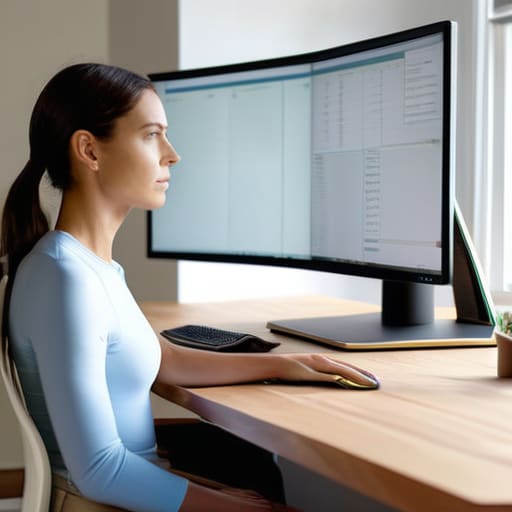
Most people treat their monitor like a piece of static furniture, but it’s actually the anchor for your entire posture. When your screen is too low, you inevitably start the “turtle neck” creep—leaning forward and dropping your chin toward your chest. This isn’t just a bad habit; it’s a direct path to chronic tension in your upper traps and neck. Proper monitor height alignment ensures your eyes hit the top third of the screen while you’re sitting upright, which keeps your spine in a neutral, relaxed position.
Think of it as a domino effect. If your head is tilted down, your shoulders round, and suddenly your entire upper body is working harder than it needs to just to keep you upright. By getting this one variable right, you’re doing more than just improving comfort; you are actively preventing repetitive strain injury before it starts. It’s the simplest, most overlooked way to reduce the physical “noise” of a long workday. When your gaze is level, your body stops fighting itself, leaving you with more mental energy to actually focus on the task at hand.
The Truth About Ergonomic Chair Features and Real Comfort
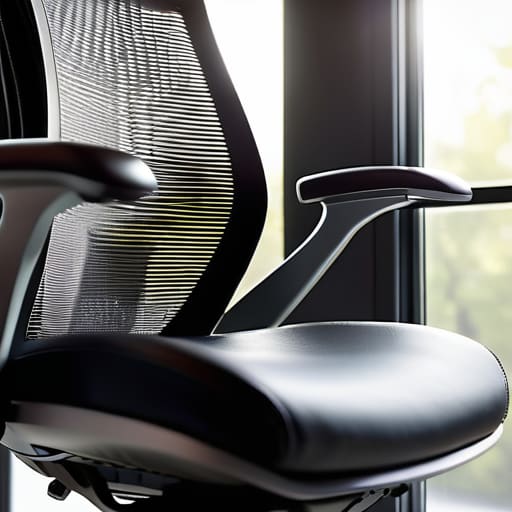
I’ve seen far too many professionals drop a small fortune on a “high-tech” chair only to end up with the same nagging lower back pain. The marketing departments love to throw around buzzwords, but here is the reality: a chair is just a tool, and if it doesn’t adapt to your specific anatomy, it’s useless. You don’t need a cockpit of levers; you need consistent lumbar support importance that actually holds your spine in its natural curve rather than just pushing against it. If you can’t find a way to maintain that support throughout an eight-hour shift, you’re just buying an expensive piece of sculpture.
True comfort isn’t about how soft the cushion feels the moment you sit down—it’s about how your body feels when you stand up two hours later. I always tell my clients to look for functional adjustability over aesthetic flair. You need to be able to fine-tune the seat depth and armrest height to ensure your wrist position for typing remains neutral. When your chair forces your shoulders into a shrug or your wrists into an awkward angle, you aren’t working; you’re just accumulating tension. Focus on the mechanics, not the padding.
Five Practical Tweaks to Stop the Physical Drain
- Get your peripherals close. Stop reaching for your mouse or keyboard; they should live right under your hands so your shoulders can stay relaxed and dropped, not hunched toward your ears.
- Stop the “laptop hunch.” If you’re working on a laptop, get a stand and an external keyboard. Looking down at a screen all day is a recipe for a neck that feels like it’s made of stone.
- Use your feet as an anchor. If your feet are dangling or you’re constantly crossing your legs, your lower back is going to pay the price. Get a footrest if your chair doesn’t hit the floor just right.
- Lighting is more than just aesthetics. If you’re fighting glare on your screen or squinting in a dim room, you’re adding unnecessary tension to your eyes and your posture.
- Movement is the only real “ergonomic” solution. No matter how perfect your setup is, the human body wasn’t built to be static. Set a timer to stand up or stretch every hour—systems work better when they include breaks.
Cutting Through the Ergonomic Noise
Stop chasing the “perfect” gear; focus on aligning your most used tools—your monitor and your chair—to your body’s natural posture first.
Real comfort isn’t about a chair that feels like a cloud; it’s about a setup that prevents you from feeling like a pretzel by the end of the workday.
Efficiency is lost when you’re fighting physical discomfort, so treat your workspace as a functional system, not just a collection of expensive gadgets.
The Real Goal of Ergonomics
“An ergonomic setup isn’t about buying the most expensive gear on the market; it’s about removing the physical friction between you and your work so your brain can actually do its job.”
Emmett Kowalski
The Bottom Line
At the end of the day, an ergonomic workstation isn’t about buying the most expensive gear or following a rigid set of rules found in a manual. It’s about the practical application of what we’ve discussed: getting your monitor at eye level to save your neck, choosing a chair that actually supports your spine, and setting up a space that doesn’t force you to fight against your own body. When you stop treating your desk like an adversary, you stop wasting mental energy on physical discomfort. The goal is to create a seamless environment where your tools disappear into the background, leaving you free to focus on the high-level work that actually moves the needle.
Don’t feel like you have to overhaul your entire office by Monday morning. Start small. Adjust one thing, see how your body feels by Friday, and iterate from there. Productivity isn’t a destination you reach by purchasing a specific brand of standing desk; it is a continuous practice of listening to your body and adjusting your systems accordingly. Build a workspace that serves your life, not one that demands you adapt to its flaws. Once you get the foundation right, you’ll find you have more than just physical comfort—you’ll have the mental clarity to do your best work.
Frequently Asked Questions
I've already upgraded my chair and monitor, but why does my lower back still ache by 3:00 PM?
It’s likely because you’ve optimized your gear but ignored your movement. You can buy the most expensive chair in the world, but if you sit in it like a statue for four hours, your muscles will eventually revolt. Static posture is the enemy. Your body wasn’t built to be still. Start incorporating micro-breaks—stand up, stretch, or just shift your weight every thirty minutes. Movement is just as vital as any ergonomic tool.
How much of my setup should actually be dedicated to standing versus sitting throughout the day?
Look, there’s no magic ratio, and anyone telling you “stand for 20 minutes every hour” is selling you a gimmick. The goal isn’t to stand more; it’s to move more. I tell my clients to aim for a fluid transition. If you feel stiff, sit. If you feel sluggish, stand. Aim for a rough 1:1 or 2:1 sitting-to-standing split, but listen to your body, not a timer. Movement is the real metric.
Is it worth investing in high-end peripheral gear like mechanical keyboards and vertical mice, or is that just more digital clutter?
It’s not about the gear; it’s about the friction. If a standard mouse makes your wrist ache by 3:00 PM, a vertical mouse isn’t “clutter”—it’s a corrective tool. I don’t care about RGB lighting or “gaming” specs, but if a mechanical keyboard allows you to type with less strain and more intention, it’s worth the investment. Buy for ergonomics and tactile feedback, not for the aesthetic. If it reduces physical tension, it’s a system upgrade.
