I was sitting at my workbench last weekend, mid-way through stripping the varnish off a 1962 teak sideboard, when I realized my brain was doing that thing again. Even with the smell of citrus oil in the air and the physical weight of the sanding block in my hand, my mind was racing through a dozen unread emails and half-finished spreadsheets. We’ve been sold this lie that we can just “will” ourselves into concentration, or that we need a $500 subscription to a productivity suite to make it happen. Most of the advice out there regarding focus triggers is just more digital noise—expensive, shiny distractions that actually increase your mental load instead of lightening it.
I’m not here to sell you a new app or a complex ritual that requires a degree in mindfulness to execute. I want to talk about the functional reality of how we reclaim our attention. Over the next few minutes, I’m going to share the stripped-back, battle-tested systems I use to signal to my brain that it’s time to dive deep. We’re going to move past the hype and focus on building reliable, low-friction triggers that actually protect your time and leave you with the mental space you deserve.
Table of Contents
Leveraging the Neuroscience of Attention for Real Results
We don’t need to reinvent the wheel; we just need to stop fighting our own biology. When I look at the neuroscience of attention, it becomes clear that our brains aren’t designed for the constant context-switching that modern “hustle culture” demands. Instead of trying to force willpower through sheer grit, we should be looking at deep work environment design. If your workspace is a chaotic mess of notifications and visual noise, you are essentially asking your prefrontal cortex to run a marathon while someone is throwing pebbles at your head.
To get real results, you have to treat your environment like a controlled laboratory. This means moving beyond simple willpower and utilizing sensory integration for concentration. For me, that often looks like a specific type of white noise or a particular lighting setup that signals to my brain: it is time to go deep. By intentionally curating these sensory inputs, you aren’t just “trying harder”—you are lowering the friction required to enter a flow state. It’s about setting the stage so that concentration becomes the path of least resistance.
Productivity Workflow Optimization Without the Digital Noise
Most people approach productivity by adding more layers—more notifications, more task managers, more “smart” devices. In my experience, that’s just more friction. Real productivity workflow optimization isn’t about stacking features; it’s about stripping away the distractions until you’re left with a clean path to your work. I’ve found that the most effective way to do this is through intentional deep work environment design. If your physical or digital space is constantly screaming for your attention, you’re fighting a losing battle against your own biology.
Instead of hunting for the next productivity app, look at your sensory inputs. I often suggest looking into auditory focus aids, like brown noise or specific instrumental loops, to create a consistent sonic boundary. It’s about creating a predictable ritual that signals to your brain: the work starts now. When you curate your surroundings to minimize sudden shifts in stimuli, you aren’t just being organized—you are actively protecting your mental bandwidth. Stop trying to manage your time and start managing your environment.
Five Ways to Build Triggers That Actually Stick
- Audit your sensory environment before you start. I don’t care if a new lo-fi playlist is trending; if a specific scent, a certain pair of noise-canceling headphones, or even a specific desk lamp only comes on when it’s time to do deep work, your brain will eventually learn that those cues mean “no distractions allowed.”
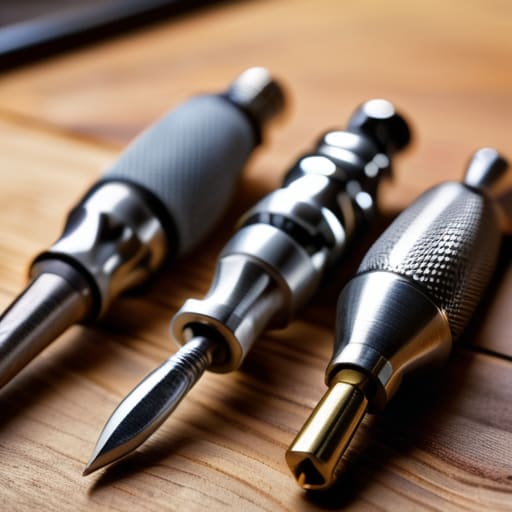
- Use a physical “transition object” to signal the shift from chaos to focus. For me, it’s uncapping my fountain pen. It’s a tactile, intentional movement that tells my nervous system the frantic multitasking phase of the day is over and the deliberate work phase has begun.
- Implement a “digital clearing” ritual. You can’t expect to focus if your browser has forty-two tabs open like a digital junk drawer. Close everything that isn’t essential to the single task at hand. If you’re afraid of losing something, bookmark it and move on—don’t let it sit in your visual field.
- Set a hard “start” trigger that requires zero decision-making. Decision fatigue is the enemy of focus. Don’t sit down and ask, “What should I do first?” Have your most important task pre-selected and ready to go so the trigger is simply opening the document, not negotiating with yourself.
- Create a “shutdown sequence” to protect your focus for tomorrow. Real efficiency isn’t just about how you start; it’s about how you end. Clear your workspace and write down your primary objective for the next morning. This prevents the “mental loop” of unfinished business from bleeding into your rest time.
The Bottom Line: Systems Over Software
Stop looking for a “magic app” to fix your focus; instead, build sensory cues—like a specific playlist or a clean desk—that signal to your brain it’s time to work.
Protect your deep work by treating your attention like a finite resource, not an infinite well, by scheduling your hardest tasks around your natural energy peaks.
Audit your environment to remove friction, ensuring your physical and digital spaces serve your intent rather than constantly demanding your reaction.
The Core Philosophy
Stop looking for a magic app to fix your attention; start building physical and environmental cues that tell your brain it’s time to work. A trigger isn’t a hack—it’s a boundary.
Emmett Kowalski
Cutting Through the Noise
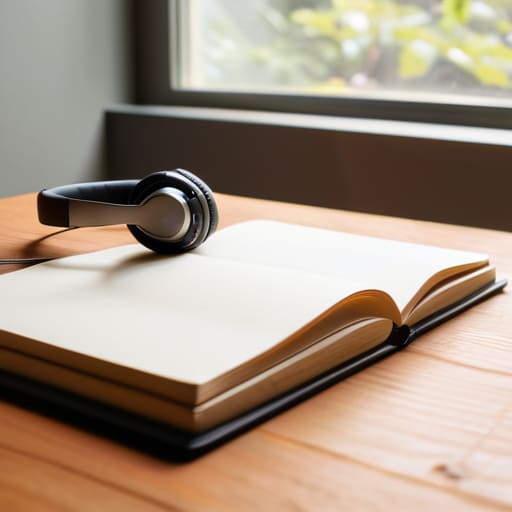
At the end of the day, building focus triggers isn’t about mastering a complex new software suite or downloading the latest “brain-hacking” app. It’s about understanding how your own biology responds to your environment. We’ve looked at how to leverage neuroscience to prime your brain, how to strip away the digital clutter that eats your time, and how to build a workflow that actually respects your mental energy. If you can master these simple, repeatable cues—whether it’s a specific playlist, a clean desk, or a timed ritual—you stop reacting to the chaos and start commanding your own attention.
I spent years chasing the perfect digital setup, thinking the right tool would finally fix my focus. It never did. The real breakthrough came when I realized that systems, not tools, are what create freedom. Don’t let the pursuit of “perfect” productivity become just another distraction that keeps you from doing the work that actually matters. Pick one trigger, implement it today, and let it serve you. You aren’t trying to become a machine; you’re just trying to clear enough space to be human again.
Frequently Asked Questions
How do I distinguish between a helpful focus trigger and just another distracting habit or ritual?
Here’s the litmus test: Does the ritual lead you into the work, or does it just feel like you’re performing “productivity”? A real trigger is a bridge—a single, repeatable action like clearing your desk or putting on noise-canceling headphones—that signals to your brain it’s time to dive in. If your “ritual” involves checking three different apps or rearranging your entire digital workspace, you aren’t focusing; you’re just procrastinating with style.
Can I use the same triggers for both deep, analytical work and more routine administrative tasks?
No, and honestly, trying to do so is a recipe for burnout. You wouldn’t use a sledgehammer to hang a picture frame, right? Deep work requires high-intensity triggers—like total silence or a specific lo-fi playlist—to signal your brain to enter a flow state. Routine tasks, however, benefit from “momentum triggers”—maybe a quick cup of coffee or a standing desk setup. Match the trigger to the cognitive load, not the clock.
What should I do when my usual triggers stop working because I've become desensitized to them?
When your triggers lose their edge, it’s usually because they’ve become part of the background noise. You’ve habituated to them. Don’t go hunting for a flashy new app; instead, change the sensory input. If you always use a specific lo-fi playlist, switch to brown noise or total silence. If you use a certain desk lamp, try working by natural light. Break the pattern to force your brain back into awareness.