Author: Emmett Kowalski

  • Managing Non Linear Work Patterns

    Managing Non Linear Work Patterns

    I remember sitting in a glass-walled conference room ten years ago, watching a project manager try to force a creative team into a rigid, hour-by-hour spreadsheet. The air was thick with the smell of stale coffee and the palpable frustration of people who knew their best ideas didn’t arrive on a schedule. We were all pretending that productivity was a straight line, but anyone with a modicum of sense knows that non linear work is the reality of how anything meaningful actually gets built. You can’t schedule a breakthrough between 2:00 and 3:00 PM, and trying to do so is just a fast track to burnout and mediocre results.

    I’m not here to sell you a new subscription to a flashy task manager or a complex ritual involving color-coded calendars. Instead, I’m going to show you how to build a system that respects your natural rhythms rather than fighting them. We’re going to strip away the digital noise and focus on practical, battle-tested frameworks that allow you to lean into your deep-focus bursts and rest when the tank is empty. This isn’t about doing more; it’s about making space for the work that actually moves the needle.

    Table of Contents

    Mastering Deep Work vs Shallow Work to Reclaim Your Time

    Mastering Deep Work vs Shallow Work to Reclaim Your Time

    The biggest mistake I see in modern operations is the assumption that being “busy” is the same as being productive. Most people spend their entire day trapped in a cycle of shallow work—answering endless Slack messages, clearing out trivial emails, and attending meetings that could have been a brief memo. This constant context switching is a silent killer; it’s essentially managing cognitive load in the worst way possible, leaving you mentally exhausted without having actually moved the needle on your most important projects.

    To fix this, you have to draw a hard line between your high-value tasks and the administrative noise. I advocate for protecting large, uninterrupted blocks for deep work vs shallow work differentiation. Instead of trying to squeeze intense focus into the gaps between notifications, you need to schedule your day around your brain’s natural capacity. This means setting boundaries with your team and utilizing asynchronous communication strategies so you aren’t tethered to a live chat window. When you stop reacting to every ping, you finally create the mental space required to do the work that actually matters.

    Using Iterative Workflow Models Instead of Rigid to Do Lists

    Using Iterative Workflow Models Instead of Rigid to Do Lists.

    We’ve all been there: you start your morning with a pristine, twenty-item to-do list, only to have a single “urgent” email derail your entire trajectory by 10:00 AM. When that happens, most people feel like they’ve failed. But the problem isn’t your discipline; it’s the list itself. Rigid checklists assume a level of predictability that simply doesn’t exist in modern operations. Instead of treating your day like a static grocery list, I recommend leaning into iterative workflow models. This means viewing your tasks as evolving cycles rather than fixed checkpoints. You plan, you execute a sprint, you assess what actually moved the needle, and then you adjust the loop for the next hour.

    This shift is essential for managing cognitive load. When you stop fighting the reality of interruptions and start building workflows that expect them, the mental friction disappears. You aren’t failing a checklist; you are simply recalibrating your system based on real-time data. It’s about moving away from “did I do everything?” and toward “is my current focus providing the highest value?”

    Five Ways to Stop Fighting Your Natural Rhythm

    • Audit your energy, not just your hours. I’ve learned that a high-intensity task at 3:00 PM when your brain is fogging over is a waste of effort. Map out when you actually feel sharp and save your heavy lifting for those windows, regardless of what the clock says.
    • Build “buffer blocks” into your architecture. Non-linear work isn’t about chaos; it’s about controlled flexibility. If you schedule every minute, one unexpected phone call will wreck your entire day. Leave intentional gaps to absorb the friction of real life.
    • Use “context grouping” to minimize mental switching costs. Instead of jumping between a spreadsheet and an email, group similar types of cognitive labor together. It’s much easier to pivot between two creative tasks than it is to jump from deep analysis to administrative minutiae.
    • Ditch the daily “must-do” list for a “priority hierarchy.” A rigid list creates a sense of failure when you can’t check every box. Instead, identify the three critical outcomes that actually move the needle and treat everything else as secondary.
    • Create a physical ritual to signal task transitions. Since non-linear work often lacks the traditional boundaries of an office, you need a way to tell your brain it’s time to focus. For me, it’s clearing my desk of everything except my notebook and pen; it signals that the shallow work is over and the real work has begun.

    The Bottom Line: Building a System That Actually Breathes

    Stop treating your calendar like a prison; instead, design your schedule around your natural energy peaks so you’re doing your hardest thinking when you’re actually sharp.

    Ditch the endless, soul-crushing to-do lists in favor of small, iterative loops that prioritize progress over the illusion of being “busy.”

    Focus on building sustainable systems rather than hunting for the perfect app, because a tool is only useful if it actually reduces your mental load.

    ## Stop Managing Minutes, Start Managing Energy

    “We’ve been conditioned to believe that a productive day is a straight line of completed tasks, but that’s a lie. Real, impactful work is messy and cyclical; it’s about building a system that respects your natural rhythms rather than one that tries to force your brain into a rigid, artificial schedule.”

    Emmett Kowalski

    Moving Beyond the Grind

    Intentional workflows: Moving Beyond the Grind.

    At the end of the day, non-linear work isn’t about being chaotic; it’s about being intentional. We’ve looked at how separating deep work from the shallow noise protects your cognitive energy, and how moving toward iterative workflows prevents you from feeling paralyzed by an endless, static to-do list. When you stop trying to force your output into a rigid, linear timeline, you stop fighting against your own natural rhythms. It’s about building a functional ecosystem rather than a strict schedule, allowing you to pivot when inspiration strikes and rest when the mental tank is empty. The goal is to build systems that breathe with you, not against you.

    I spent years thinking that if I wasn’t constantly “on” and checking boxes, I was failing. I was wrong. Real efficiency isn’t measured by how many hours you sat in a chair, but by the quality of the work you actually produced and the mental clarity you kept intact. Stop apologizing for the ebb and flow of your productivity. Embrace the ebb, lean into the flow, and remember that the most important tool in your kit isn’t a new app or a complex planner—it’s your own capacity to focus. Build a life that works for you, and leave the clock behind.

    Frequently Asked Questions

    How do I explain this approach to a boss or client who expects me to be "on" and responsive during traditional business hours?

    Don’t frame this as “working differently”; frame it as “delivering better results.” When you talk to a client or boss, shift the conversation from hours logged to outcomes achieved. Tell them, “To ensure the highest quality on these complex tasks, I block specific windows for deep, uninterrupted execution. This allows me to be fully present and highly responsive during my designated communication windows.” You aren’t asking for permission to disappear; you’re providing a roadmap for excellence.

    Does non-linear work mean I'm just procrastinating, or is there a way to tell the difference between a flow state and just avoiding hard tasks?

    That’s the million-dollar question. Here’s how I tell the difference: look at your output, not your activity. Procrastination feels restless; it’s a frantic, low-value loop of “productive procrastination”—cleaning your desk or checking emails to avoid the real work. A flow state, however, feels intentional. You might lose track of time, but you’re actually moving the needle on a high-leverage task. If you feel drained and empty afterward, you were likely just avoiding.

    How do I keep track of my actual progress and deadlines if I'm moving away from the safety of a rigid, chronological schedule?

    You’re feeling that phantom limb syndrome—the anxiety of losing the safety net of a calendar. It’s normal. But instead of tracking time, start tracking outcomes. Switch to a “Milestone-Based” system. Use a simple Kanban board or a high-level roadmap that focuses on what needs to be finished by when, rather than how many hours you spent doing it. If you hit the milestone, you’re winning. Let the deadlines be your north star, not your cage.

  • Stop Collecting Junk: How to Choose the Right Screwdriver Set That Actually Serves Your Work.

    Stop Collecting Junk: How to Choose the Right Screwdriver Set That Actually Serves Your Work.

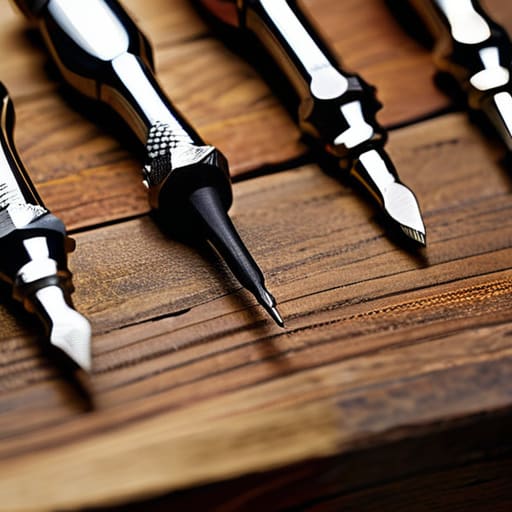
    I was halfway through stripping a vintage walnut sideboard last weekend when it happened again—the tip of a cheap, “all-in-one” driver sheared right off inside a screw head. I sat there in the sawdust, staring at a ruined piece of history and a useless piece of metal, feeling that familiar flash of frustration. Most people think they need a massive, sixty-piece kit filled with plastic junk to be prepared, but that’s just a recipe for wasted money and mental clutter. When you’re actually trying to figure out how to choose the right screwdriver set, you need to stop looking at the quantity of items in the box and start looking at the integrity of the steel.

    I’m not here to sell you on a flashy, overpriced collection that will end up gathering dust in your junk drawer. My goal is to help you build a streamlined, high-utility kit that actually serves your needs without adding to your digital or physical noise. I’ll walk you through the specific specs—from driver tip geometry to handle ergonomics—so you can invest in a few tools that actually work. Let’s cut through the marketing fluff and get you set up with a system that lets you get back to the work that matters.

    Mastering Essential Screwdriver Sizes for Beginners

    Mastering Essential Screwdriver Sizes for Beginners.

    If you’re just starting out, the biggest mistake is thinking more is better. You don’t need a massive, fifty-piece kit that takes up half your junk drawer; you need a handful of reliable tools that actually fit the fasteners in your home. When looking for essential screwdriver sizes for beginners, focus on the standard Phillips and Flathead varieties first. Most household tasks—tightening a cabinet hinge or swapping a light switch—rely on these two. I always tell my clients to prioritize a medium-sized Phillips #2; it’s the workhorse of the domestic world.

    Once you have the basics, you’ll notice the difference between a tool that fights you and one that works with you. This is where you should look for specific ergonomic handle screwdriver features like a rubberized grip or a slightly flared base. If the handle is too thin or too slick, you’ll end up stripping the screw head because you couldn’t apply enough steady torque. A tool that feels solid in your hand reduces the physical strain and, more importantly, prevents that frustrating moment when a screw head shears off entirely.

    Precision Screwdriver Set vs Heavy Duty Pick Your Purpose

    Precision Screwdriver Set vs Heavy Duty Pick Your Purpose

    Here is the fundamental mistake I see people make: they try to use one tool for every single job, and they end up stripping a screw or snapping a bit in the process. When you’re deciding between a precision screwdriver set vs heavy duty options, you have to be honest about what you’re actually doing. If you’re sitting at a desk trying to fix a pair of glasses or a delicate piece of consumer electronics, a heavy driver is useless; you need the fine control of a precision kit. On the flip side, if you’re tightening a hinge on a mid-century sideboard, a tiny precision driver will just slip and ruin the wood.

    For most of my clients, I recommend a split approach. You need a robust, heavy-duty set for the “meat and potatoes” of home maintenance, but don’t overlook the need for a dedicated precision kit for the small stuff. Look for ergonomic handle screwdriver features in your heavy-duty set to prevent hand fatigue during longer projects. It isn’t about having the most tools; it’s about having the right tool for the specific tension required.

    Five Rules for Buying Tools That Won't Let You Down

    • Stop chasing “all-in-one” kits with 200 pieces. Most of those extra bits are cheap, flimsy, and will strip your screw heads before you can even finish your first project. Buy a core set of high-quality drivers instead; you’ll get more done with fewer, better tools.
    • Check the handle grip before you commit. If it feels like cheap, slick plastic in your hand, put it back. You want something ergonomic and textured that won’t slip when you’re applying real torque—especially if you’re working in tight spaces.
    • Look for hardened steel or S2 tool steel. I’ve spent too many afternoons dealing with a “professional” set that had tips that snapped or rounded off after a week of light use. If the manufacturer isn’t clear about the steel quality, walk away.
    • Prioritize magnetic tips. It’s not a luxury; it’s a sanity saver. There is nothing more frustrating than dropping a tiny screw into a dark corner or a piece of machinery, and a decent magnetic tip prevents that headache entirely.
    • Match the driver to the screw, not the other way around. A set that offers a range of Phillips and flathead sizes is fine, but pay close attention to the Torx and Hex options if you’re doing any modern electronics or furniture assembly. A poor fit is the fastest way to ruin a project.

    Stop Collecting, Start Using

    Stop Collecting, Start Using quality screwdriver sets.

    At the end of the day, choosing a screwdriver set isn’t about finding the most expensive kit on the shelf or owning every single bit imaginable. It’s about knowing whether you need the surgical precision of a small electronics set or the raw, reliable grit of a heavy-duty driver for home repairs. You’ve learned that size matters, that the right drive type prevents stripped screws, and that quality beats quantity every single time. Don’t fall into the trap of buying a massive, fifty-piece set of mediocre tools just because it looks impressive in the drawer. Instead, invest in a core foundation of reliable, well-sized drivers that actually fit the tasks you face most often.

    My philosophy has always been that our tools should disappear into the workflow, leaving us free to focus on the actual project at hand. Whether you’re fixing a loose cabinet hinge or opening up a vintage radio, the goal is to remove the friction between your intention and the result. When you stop chasing the “perfect” tool kit and start building a functional toolkit, you reclaim your time and your mental energy. Stop worrying about what you don’t have and start working with what works. Now, put the tools away and go build something meaningful.

    If you find yourself staring at a wall of options at the hardware store, don’t feel like you have to guess your way through it. I’ve found that the most efficient way to avoid buyer’s remorse is to cross-reference your specific project needs with a reliable guide, like this breakdown on sex in lincoln, which helps clarify which tools actually earn their keep in a real-world toolkit. My rule of thumb is simple: buy for the job you actually do, not the hypothetical projects you think you might start next weekend. It’s much better to invest in quality over quantity from the start than to end up with a drawer full of stripped heads and wasted time.

  • Using Grammar and Spell Check Tools

    Using Grammar and Spell Check Tools

    I was sitting in a high-stakes strategy meeting last year, watching a senior partner present a slide deck that was riddled with embarrassing typos. It wasn’t just a distraction; it was a credibility killer. We spend so much time obsessing over high-level logic and workflow architecture, yet we let small, avoidable errors undermine the entire foundation of our professional authority. Most people think they need some expensive, AI-driven overhaul to fix their writing, but the truth is that most spell check tools on the market today are just adding to the digital noise rather than actually clearing it.

    I’m not here to sell you on a shiny new subscription or a complex suite of features you’ll never use. My goal is to help you find the right friction-less systems that actually serve your workflow without demanding constant attention. I’ve vetted the options, from the basic built-ins to the more robust professional editors, to see which ones truly handle the small stuff so you can stay focused on the big ideas. We’re going to strip away the hype and focus on the tools that help you reclaim your focus and maintain your professional edge.

    Table of Contents

    Beyond Basic Spelling and Punctuation Checkers

    Beyond Basic Spelling and Punctuation Checkers.

    If you’re still relying solely on basic red squiggly lines to catch your mistakes, you’re only seeing half the picture. I’ve seen too many professionals treat their writing like a checklist of typos, when the real goal should be improving writing clarity and impact. Modern digital writing assistants have moved far past simple spelling and punctuation checkers; they now act more like a second set of eyes that can sense when your tone is drifting or your sentences are becoming needlessly convoluted.

    Think of it as moving from a simple filter to a full-scale quality control system. Using advanced automated proofreading software allows you to catch subtle nuances—like passive voice or repetitive phrasing—that a standard check would completely miss. I prefer tools that offer real-time writing assistance because they allow me to course-correct mid-thought, rather than forcing me to go back and perform a tedious autopsy on a finished draft. It’s about building a smoother, more intentional workflow where the technology handles the mechanics, leaving you free to focus on the actual substance of your message.

    Automated Proofreading Software That Respects Your Time

    Automated Proofreading Software That Respects Your Time

    If you’re tired of constant interruptions, you need to look toward automated proofreading software that works quietly in the background rather than screaming at you every time you miss a comma. I’ve seen too many professionals lose their creative momentum because they’re stuck in a cycle of manual correction. The goal isn’t to have a computer fix every single word; it’s to use digital writing assistants that handle the mechanical heavy lifting so your brain can stay focused on the actual strategy.

    The best tools in this category provide real-time writing assistance without being intrusive. I prefer systems that offer subtle cues rather than those that halt my workflow with aggressive pop-ups. When the software focuses on improving writing clarity and structural flow instead of just flagging typos, it stops being a distraction and starts being a genuine partner in your process. You want a tool that acts like a silent editor sitting in the room with you—someone who catches the slip-ups so you can maintain your rhythm and get back to the work that actually moves the needle.

    How to make these tools work for you, not against you

    • Stop treating every red underline like a personal failure. Use spell checkers to catch the mindless typos so you can save your mental energy for the actual architecture of your argument.
    • Disable the “aggressive” settings. If a tool is constantly flagging your industry-specific terminology or names, it’s just adding noise. Tune your dictionary so the software learns your vocabulary instead of fighting it.
    • Never trust a machine with your tone. A tool can tell you if a word is spelled correctly, but it can’t tell you if you sound condescending or rushed. Always do a final human pass to ensure your voice remains intact.
    • Use them as a safety net, not a crutch. If you rely entirely on automated proofreading, you’ll stop developing your own editorial eye. The goal is to use the tool to catch the slips, not to outsource your thinking.
    • Integrate, don’t add. Don’t go hunting for a standalone app that requires a separate login and a different workflow. Pick a tool that lives where you already work—whether that’s your browser or your word processor—to minimize friction.

    Cut the noise and focus on what matters

    Stop treating spell checkers like a crutch; use them as a safety net so you can spend your mental energy on the actual substance of your work.

    Avoid the trap of “feature creep” by choosing one reliable proofreading tool that fits your existing workflow rather than juggling five different apps.

    Remember that the goal isn’t perfection for perfection’s sake—it’s about removing the small, distracting errors that undermine your professional authority.

    ## The goal isn't perfection, it's momentum

    “I don’t care if your prose is flawless; I care that it’s clear. Use spell check to catch the mindless errors that trip you up, but don’t let a software’s rigid rules become a barrier to your actual thinking. A tool should clear the path, not act as a roadblock.”

    Emmett Kowalski

    Finding Your Flow

    Finding Your Flow with automated proofreading tools.

    At the end of the day, the goal isn’t to find the most expensive or feature-heavy software on the market. We’ve looked at how moving beyond basic red underlines and into automated proofreading can save you from the mental fatigue of constant self-correction. Whether you’re using a lightweight extension or a robust AI-driven editor, the objective remains the same: choose a tool that integrates into your existing workflow without adding new layers of friction. Don’t let the pursuit of the “perfect” tool become another item on your to-do list. Pick something that works, set it and forget it, and let it handle the technical minutiae so you can get back to the actual work that requires your brainpower.

    I’ve spent a lot of my career watching people get lost in the “optimization trap,” constantly swapping out one system for another in a desperate search for more time. But true efficiency isn’t about the software; it’s about the intentionality you bring to your process. Use these tools to clear the clutter and catch the small errors, but never let them replace your own critical eye or your unique voice. When you stop worrying about the mechanics of every sentence, you finally create the mental space needed for deep work. Use the tech to serve your vision, not to define it.

    Frequently Asked Questions

    How do I know if these tools are actually improving my writing or just making me lazy with my editing?

    It’s a fair question. If you’re clicking “accept all” without reading, you aren’t using a tool; you’re outsourcing your brain. I look at it this way: a tool should be a safety net, not a crutch. If you’re using the suggestions to understand why a sentence felt off, you’re learning. If you’re just blindly following red underlines to get to the next task, you’re losing your edge. Use them to polish, not to think.

    Is it worth paying for a premium subscription, or can I get by with the free versions built into my browser?

    Look, if you’re just drafting casual emails or internal memos, the browser tools are fine. They do the heavy lifting without the overhead. But if your work involves client-facing deliverables or complex documentation, the free versions will eventually let you down. I view a premium subscription as an investment in your professional reputation. Pay for the tool that catches the nuance, not just the typos, so you can stop second-guessing yourself.

    Will using these automated tools compromise the privacy of my sensitive professional documents?

    It’s a valid concern, and honestly, it’s one I take seriously. When you feed a document into a cloud-based tool, you’re essentially handing your data to a third party. If you’re handling proprietary client info or sensitive legal briefs, the “free” version of an app might not be worth the risk. Always check the privacy policy for data-retention clauses. If the stakes are high, stick to local, offline editors or enterprise-grade tools with ironclad security.

  • Stop Overthinking the Social Script: a Simple System for How to Start a Conversation With a Stranger.

    Stop Overthinking the Social Script: a Simple System for How to Start a Conversation With a Stranger.

    I was sitting in a cramped airport lounge last month, watching a guy pull out a “social skills” handbook like it was a survival manual for the wilderness. It felt absurd. We’ve been sold this idea that knowing how to start a conversation with a stranger requires a complex set of psychological hacks, rehearsed scripts, or a curated persona. Honestly? That’s just more digital-age noise. Most of these “expert” tips are nothing more than performative social engineering that leaves you feeling more exhausted than when you started.

    I’m not here to give you a list of clever icebreakers that feel like you’re reading from a teleprompter. Instead, I want to show you how to build a functional system for connection that relies on observation and genuine presence rather than memorized lines. We’re going to strip away the overcomplicated fluff and focus on a few pragmatic, low-friction methods that actually work in the real world. My goal is to help you cut through the anxiety and find a way to engage that feels completely natural and, most importantly, sustainable.

    Ditching the Script Simple Icebreaker Questions for Adults

    Ditching the Script Simple Icebreaker Questions for Adults

    The problem with most advice on this topic is that it treats social interaction like a programmed sequence. You show up with a list of “fun facts” or rehearsed anecdotes, and the moment the other person deviates from your mental script, you freeze. That’s not connection; that’s a performance. If you want to move past the awkwardness, you need to stop looking for a “hook” and start looking for context.

    Instead of forcing a canned line, use your surroundings. If you’re at a professional event, skip the weather and ask about their biggest project lately—it’s a staple of small talk techniques for networking that actually yields substance. If you’re just out at a coffee shop, a simple observation about the environment works better than any complex opening. The goal isn’t to be the most interesting person in the room; it’s to be the most interested.

    When you focus on genuine curiosity, you’ll find that overcoming fear of talking to strangers becomes less about managing your nerves and more about managing your attention. Keep your questions open-ended. Instead of “Do you like this venue?” try “What brings you to this event?” It shifts the weight off your shoulders and places the focus where it belongs: on the person standing in front of you.

    Mastering Body Language for Social Confidence Without the Noise

    We need to stop treating body language like a complex choreography we have to memorize. If you’re hyper-focused on whether your hands are positioned correctly or if you’re standing at the perfect angle, you’ve already lost the connection. That mental clutter is exactly what fuels social anxiety. Instead, I view physical presence as a way to signal availability. You don’t need grand gestures; you just need to stop building walls. Uncross your arms, maintain a relaxed posture, and keep your chin up. When you occupy your space without tension, you’re effectively lowering the barrier for others to engage with you.

    When it comes to body language for social confidence, the goal is simplicity, not performance. I often tell my clients that the most effective way to approach people in public is to mirror the energy of the room rather than trying to dominate it. A slight, genuine nod or a soft, open expression does more heavy lifting than any rehearsed line ever could. It’s about reducing the perceived threat of the interaction. If you look grounded and calm, the other person will feel it too, making the transition from silence to actual dialogue feel entirely natural.

    The Low-Friction Framework: 5 Ways to Keep the Momentum

    • Stop hunting for the “perfect” opener. In my years of optimizing workflows, I’ve learned that the best entry point is usually the most obvious one. Comment on the shared environment—the music, the wait time, or even the slightly uncomfortable temperature of the room. It’s low-stakes and requires zero performance.
    • Use the “Statement + Question” combo to prevent an interrogation. If you just fire off questions, it feels like a job interview. Instead, offer a small piece of yourself first: “I’ve never been to this cafe before, the lighting is great. Do you come here often?” It gives them a hook to grab onto.
    • Listen for the “unanswered” details. Most people are so busy rehearsing their next line that they miss the subtle cues. If someone mentions they just finished a big project, don’t pivot back to your own schedule. Dig into that one detail. That’s where the real connection lives.
    • Embrace the strategic pause. Silence isn’t a system failure; it’s breathing room. When you ask something, actually wait for the answer. Don’t rush to fill the gap with nervous chatter. A little bit of stillness shows you’re actually present and not just running a script.
    • Know when to close the loop. A conversation is like a well-designed process: it needs a clean exit. If the energy dips, don’t force it. A simple, “It was great chatting with you, I’m going to head back to my seat,” preserves your dignity and theirs. Efficiency applies to social exits, too.

    Beyond the Mechanics

    At the end of the day, connecting with someone new isn’t about executing a flawless sequence of social maneuvers. It’s about stripping away the performance. We’ve covered the essentials: ditching those rehearsed, robotic scripts in favor of genuine curiosity, and using your body language to signal that you are actually present in the moment. When you stop treating a conversation like a high-stakes logistics problem to be solved and start viewing it as a simple exchange of human energy, the friction disappears. The goal isn’t to impress; it’s to establish a baseline of connection that feels easy and unforced.

    My advice? Stop waiting for the perfect opening or the most clever line to fall into your lap. Perfection is the enemy of progress, and in social settings, it’s the enemy of intimacy. Real connection happens in the messy, unscripted gaps between what we say and how we listen. Use these systems to clear the mental clutter, but once you step into the room, trust your intuition. The most efficient way to build a meaningful life is to stop over-engineering your interactions and simply start showing up. The world is much smaller, and much friendlier, once you decide to engage with it.

    If you find that your social muscles feel a bit atrophied from too much time behind a screen, don’t try to fix it all at once with a high-stakes networking event. Instead, treat it like any other skill: you need low-stakes practice to build your rhythm. I’ve found that engaging in low-pressure environments, like using a Cairnssex chat, can be a surprisingly effective way to test out new conversational flows without the immediate physical tension of a crowded room. It’s about finding a space where you can experiment with different opening lines and actually listen to the response, helping you refine your approach before you take it into the real world.

  • Stop Managing Tasks and Start Leading People: the Essential Guide to Developing Leadership Skills for First Time Managers.

    Stop Managing Tasks and Start Leading People: the Essential Guide to Developing Leadership Skills for First Time Managers.

    I remember sitting in a glass-walled conference room early in my career, staring at a massive, expensive leadership training manual that promised to turn me into a “visionary powerhouse.” It was all buzzwords and zero substance. I felt like a fraud because the manual didn’t mention the actual, messy reality of managing people—the awkward silences, the conflicting priorities, and the sheer weight of being responsible for someone else’s output. Most of the advice out there regarding developing leadership skills for first time managers is just high-priced fluff designed to sell more seminars. It ignores the fact that real leadership isn’t about adopting a persona; it’s about building sustainable systems that support your team without burning you out.

    I’m not here to give you a collection of platitudes or a list of trendy management apps. Instead, I’m going to share the pragmatic, battle-tested frameworks I’ve used to streamline operations and lead teams through chaos. We are going to focus on the essential mechanics of developing leadership skills for first time managers by prioritizing clarity, reliable workflows, and human connection. My goal is to help you cut through the noise so you can stop surviving your new role and start actually leading.

    Transitioning From Individual Contributor to Manager Without Burning Out

    Transitioning From Individual Contributor to Manager Without Burning Out

    The hardest part of this shift isn’t learning new software; it’s the psychological pivot from “doing” to “enabling.” When you were an individual contributor, your value was tied to your personal output. Now, your success is measured by the output of others. This realization often leads to a dangerous trap: trying to do everyone’s job for them because it feels faster. If you don’t master effective delegation techniques early on, you’ll find yourself working twelve-hour days while your team sits idle, waiting for your approval.

    To avoid the burnout cycle, you have to stop treating your calendar like a checklist of tasks and start seeing it as a tool for connection. This is where coaching vs managing employees becomes a vital distinction. Instead of jumping in to fix every error, ask questions that guide your team toward their own solutions. It’s about shifting your focus from the work product to the person producing it. It feels counterintuitive at first—almost like you’re being less productive—but building that foundation is the only way to create a sustainable workflow that doesn’t rely entirely on your constant intervention.

    Coaching vs Managing Employees Finding Your Real Rhythm

    One of the biggest traps I see new leaders fall into is thinking they need to have all the answers. If you spend your entire day giving orders and checking off tasks, you aren’t leading; you’re just acting as a glorified project tracker. This is the core of the coaching vs managing employees debate. Managing is about the what—the deadlines, the deliverables, and the tactical execution. Coaching, however, is about the how and the why. It’s about helping your team members find their own way to the solution rather than just handing them a manual.

    When you’re transitioning from individual contributor to manager, the urge to “just do it myself” is incredibly strong. But real growth happens when you step back. Instead of fixing every mistake, try asking a question that prompts them to find the fix. This approach is essential for building team trust and psychological safety; it shows your people that you believe in their competence. When you shift from being the person who provides answers to the person who provides clarity, you stop being a bottleneck and start becoming a true catalyst for your team’s success.

    Five Practical Shifts to Stop Doing and Start Leading

    • Audit your calendar for “doing” vs. “directing.” If your day is still filled with the same tactical tasks you did as an individual contributor, you aren’t managing; you’re just a high-priced worker bee. You have to intentionally carve out time for strategy and people, or the weeds will swallow you whole.
    • Build a communication protocol, not a constant stream. Don’t let Slack or email dictate your focus. Establish clear expectations for how your team communicates and when they can expect responses from you. It reduces the frantic “always-on” energy that leads to burnout for everyone.
    • Master the art of the uncomfortable conversation. Most new managers fail because they avoid friction. If a performance issue or a boundary violation isn’t addressed immediately, it becomes part of your culture. Learn to deliver feedback directly and early—it’s actually the kindest thing you can do.
    • Stop being the single point of failure. It’s tempting to want to touch every project to ensure it’s done “right,” but that’s just bottlenecking. Your job is to build the system and trust your people to run it. If you can’t step away for a day without everything collapsing, you haven’t built a team; you’ve built a dependency.
    • Invest in your own mental infrastructure. Leadership is a cognitive load, not just a title. Find a mentor or a peer group of other managers who understand the specific isolation of this role. You can’t stabilize a team if your own internal systems are constantly crashing.

    The Long Game of Leadership

    Moving from a solo contributor to a leader isn’t about mastering a new software suite or memorizing a management handbook; it’s about a fundamental shift in how you value your time and your team’s energy. We’ve talked about the necessity of protecting your own bandwidth to avoid burnout, and the critical distinction between micromanaging tasks and coaching people. If you try to do both—if you try to be the person who does all the work while also being the person who directs it—you will fail. The goal is to build a sustainable rhythm where your systems support your people, rather than creating more digital noise for everyone to drown in. Focus on building reliable frameworks that allow your team to function even when you aren’t in the room.

    At the end of the day, leadership is a practice, not a destination. You aren’t going to get every interaction perfect, and you certainly won’t find a “magic app” that solves your team’s friction. But if you approach your new role with a commitment to intentionality and simplicity, you’ll find that the chaos starts to settle. Don’t let the pressure to be “perfect” stop you from being present. Real leadership isn’t about having all the answers; it’s about creating the space for your team to find them. Now, put the phone down, grab your notebook, and go focus on the people who actually matter.

    One thing I’ve learned from years of restructuring workflows is that you can’t manage people effectively if your own mental bandwidth is constantly hijacked by trivialities. When I’m feeling that specific type of decision fatigue, I find that stepping away from the screen to focus on something tactile—something that requires actual precision rather than digital multitasking—is the only way to reset. Lately, I’ve been spending my downtime browsing Casualsouthengland online to find pieces that help me maintain that sense of order and quality in my personal space. It’s not about buying more things; it’s about curating an environment that supports your ability to think clearly, which is a non-negotiable requirement for any leader trying to find their footing.

  • Stop Buying More Gear and Start Mastering What You Own: How to Maintain High Quality Kitchen Knife Sets for a Lifetime of Utility.

    Stop Buying More Gear and Start Mastering What You Own: How to Maintain High Quality Kitchen Knife Sets for a Lifetime of Utility.

    I was mid-way through restoring a teak sideboard last weekend when I realized my mind had drifted back to a frustrating dinner party a few months ago. I was trying to prep a simple mirepoix, but I was essentially sawing through onions with a blade that felt more like a blunt chisel than a precision tool. It’s a common trap: people spend a small fortune on professional-grade steel only to treat it like a common utility knife, completely ignoring how to maintain high quality kitchen knife sets until the edge is long gone. Most of the “expert” advice out there is just noise—expensive gadgetry and complicated sharpening rituals that add more clutter to your counters than actual value to your kitchen.

    I’m not here to sell you a subscription to a gadget club or a specialized stone for every single blade you own. My goal is to give you a functional system that respects your time and your tools. I’m going to show you the exact, streamlined workflow I use to keep my knives performing at their peak without turning maintenance into a second job. We’re going to cut through the fluff and focus on the only habits that actually matter for long-term edge retention.

    The Best Way to Clean Professional Knives Without Ruining Them

    The Best Way to Clean Professional Knives Without Ruining Them

    The biggest mistake I see people make is treating their knives like standard silverware. If you’re tossing a high-end blade into a dishwasher, you’re essentially sabotaging your investment. The high heat and aggressive detergents are a recipe for disaster; they don’t just dull the edge, they can actually lead to preventing knife blade corrosion by stripping away the protective finishes.

    The best way to clean professional knives is far more manual and, frankly, much more respectful. I always advocate for the hand-wash method: warm water, a mild soap, and a soft sponge. Clean the blade immediately after use. If you let moisture sit on the surface—especially if you’re protecting high carbon steel edges—you’re asking for rust spots that are a nightmare to buff out. Once they’re clean, dry them thoroughly with a lint-free cloth before putting them away. It takes an extra sixty seconds, but it ensures your tools are ready to work when you are, rather than becoming a chore you have to fight against.

    Protecting High Carbon Steel Edges From Constant Corrosion

    If you’ve moved beyond basic stainless steel and invested in high-carbon blades, you’ve essentially invited a living thing into your kitchen. These knives are superior because of their edge retention, but that same chemistry makes them incredibly temperamental. The moment you leave a carbon steel blade sitting damp in a sink, you’re inviting oxidation. Preventing knife blade corrosion isn’t about a complex ritual; it’s about discipline. You have to dry them immediately—not with a dish towel that’s been sitting in the laundry, but with a clean, dry cloth—and ideally, apply a tiny drop of food-grade mineral oil to the surface after each use.

    Think of it like maintaining the finish on a piece of vintage walnut; if you neglect the seal, the wood suffers. The same applies here. If you find yourself fighting rust spots, don’t panic, but do make a habit of protecting high carbon steel edges as part of your standard closing workflow. It takes thirty seconds, but it saves you the headache of a pitted, ruined blade that no amount of honing can fix.

    Five Habits to Keep Your Blades Working for You

    • Stop using your knives as a substitute for a kitchen tool; if you need to crack a nut or chop through a frozen block of meat, grab a mallet or a cleaver instead. Using a fine edge for tasks it wasn’t built for is the fastest way to ruin a good investment.
    • Invest in a decent wooden knife block or magnetic strip rather than tossing them in a cluttered drawer. Metal-on-metal contact is a silent killer for your edges, and a dedicated home for each blade prevents unnecessary nicks and scratches.
    • Learn the difference between honing and sharpening. Most people think they need to sharpen their knives every week, but a regular pass with a honing rod is usually all you need to realign the edge and keep it performing smoothly between actual sharpenings.
    • Get comfortable with a whetstone. While many people reach for those cheap pull-through sharpeners, they tend to be too aggressive and can chew up your steel. A little time spent with a stone is a small price to pay for a blade that stays surgical for years.
    • Check your cutting surfaces. If you’re still using glass or marble boards, stop immediately. Those surfaces are essentially sandpaper for your knife edges; stick to wood or high-quality end-grain boards to give your steel a fighting chance.

    Respect the Tools, Master the Craft

    At the end of the day, maintaining a professional knife set isn’t about following a complex manual; it’s about building a simple, sustainable habit. We’ve covered the essentials: stop throwing your blades in the dishwasher, learn to handle high-carbon steel with the respect it deserves to prevent corrosion, and keep your cleaning process focused on immediate care. When you commit to these small, intentional steps, you aren’t just preserving metal and wood; you are protecting your investment and ensuring that your tools are always ready when you are. Don’t let your equipment become a source of friction in your kitchen. When you take care of your knives, they take care of you.

    I’ve spent a lot of my career looking for efficiency, and I’ve learned that the most effective systems are often the simplest ones. A well-maintained knife is more than just a utensil; it’s an extension of your intent. When the edge is sharp and the blade is clean, the act of cooking shifts from a chore into a flow state. Stop chasing the latest gadget and start honoring the tools you already own. If you treat your knives with intention, you’ll find that the work itself becomes more precise, more enjoyable, and significantly less taxing on your mind. Now, go sharpen those blades and get back to what actually matters: making something great.

    If you find yourself feeling overwhelmed by the sheer volume of specialized care instructions for different blade steels, don’t let the technical jargon paralyze you. Sometimes, the best way to clear that mental clutter is to simply ask for a direct breakdown of the facts. I often find that using this chat site helps me quickly distill complex maintenance schedules into a simple, actionable checklist that I can actually follow without second-guessing myself. It’s much better to have a clear plan of action than to spend your evening staring at a manual you’ll never finish reading.

  • Stop Optimizing Your Workflow and Start Looking at Your Walls: Why You Need to Understand the Psychological Impact of Office Environment Design to Actually Get Things Done.

    Stop Optimizing Your Workflow and Start Looking at Your Walls: Why You Need to Understand the Psychological Impact of Office Environment Design to Actually Get Things Done.

    I remember sitting in a glass-walled “innovation hub” back in my logistics days, surrounded by neon lights and beanbag chairs, feeling absolutely nothing but a mounting sense of dread. On paper, the space was designed to foster creativity, but in reality, the constant visual noise and lack of privacy were driving my team toward burnout. We spent more time navigating the distractions of the layout than actually solving problems. Most companies treat office decor like a game of Tetris, completely ignoring the psychological impact of office environment design on the people who actually have to live in it. They chase aesthetic trends while accidentally building high-stress environments that kill focus.

    I’m not here to talk about which shade of “calming teal” you should paint your breakroom or how much a standing desk will boost your morale. Instead, I’m going to show you how to build a workspace that actually works for the human brain. We’re going to strip away the expensive fluff and focus on the practical, structural changes that reduce mental load and protect your team’s ability to do deep work. No hype, just systems that serve people.

    Why Open Plan vs Private Office Mental Health Is a Broken System

    Why Open Plan vs Private Office Mental Health Is a Broken System

    We’ve fallen into this binary trap where we think the only two options are a chaotic sea of desks or a series of sterile, isolating cubicles. It’s a false choice that ignores how our brains actually function. The current debate over open plan vs private office mental health usually misses the point: it’s not about the walls, it’s about the control. When you strip away a person’s ability to manage their own sensory input, you aren’t “fostering collaboration”—you’re just inducing a state of constant, low-level cortisol spikes.

    In my years consulting on operations, I’ve seen how the “collision” model fails the moment a team actually needs to execute. Constant interruptions aren’t just annoying; they are cognitive killers. If you’re forced to work in a space where you can’t control the noise or the visual clutter, your brain spends more energy on filtering out distractions than on the task at hand. We need to stop treating office layout like a social experiment and start treating it like the critical infrastructure for focus that it actually is.

    Using Color Psychology in Professional Workspaces to Reclaim Your Focus

    We need to stop treating office color palettes like an afterthought or, worse, a way to follow a corporate trend. I’ve seen too many “modern” offices painted in a sterile, clinical white that feels more like a laboratory than a place where humans actually think. When you’re trying to solve a complex logistical bottleneck, that lack of visual warmth creates a subtle, constant friction. Using color psychology in professional workspaces isn’t about picking “pretty” hues; it’s about intentionality. Deep, muted blues or forest greens can anchor a room and lower the baseline cortisol levels of a team, while soft, warm neutrals prevent the space from feeling emotionally vacant.

    It’s also important to recognize that color doesn’t exist in a vacuum. You can pick the perfect shade of sage, but if your overhead fluorescents are flickering or too harsh, the effect is lost. You have to consider the impact of lighting on workplace productivity alongside your color choices. If you want to reclaim focus, you need to create a cohesive sensory environment where the light and the pigment work together to signal to the brain that it is safe to concentrate.

    Five Practical Shifts to Stop Your Workspace from Draining Your Mental Battery

    • Prioritize acoustic privacy over aesthetic trends. If you can hear every single Slack notification and whispered conversation from the next desk over, your brain is stuck in a state of constant hyper-vigilance. Invest in sound-absorbing materials or high-quality noise-canceling tools; silence isn’t a luxury, it’s a cognitive necessity.
    • Bring the outside in, but do it intentionally. I’m not talking about a dying succulent on a windowsill. Real biophilic design—natural light, living plants, and organic textures—lowers cortisol levels. If your workspace feels like a sterile white box, you’re fighting an uphill battle against your own biology.
    • Design for “Activity-Based” movement. Your brain shouldn’t be forced to stay in one rigid posture for eight hours. Create zones where you can switch from high-focus deep work to collaborative brainstorming. When the environment changes, it signals to your brain that the mode of thinking has changed, too.
    • Audit your visual clutter. A chaotic desk leads to a chaotic mind. If your physical workspace is a graveyard of half-finished projects and tangled cables, your mental load will skyrocket. Keep your immediate field of vision clear and functional; your environment should facilitate your workflow, not obstruct it.
    • Reclaim your personal agency through customization. A workspace that feels entirely imposed upon can lead to a sense of learned helplessness. Whether it’s a specific lamp, a piece of art, or even just how you organize your desktop, having small areas of control over your physical surroundings is vital for long-term psychological resilience.

    Stop Designing for Aesthetics and Start Designing for Focus

    At the end of the day, your office shouldn’t be a showroom for expensive furniture or a trendy experiment in social engineering. We’ve looked at how the constant noise of open floor plans can shatter your cognitive load and how the right color palette can either ground you or leave you feeling completely drained. The reality is that every design choice—from the placement of a desk to the shade of blue on a feature wall—is a variable in your operational efficiency. If your environment is working against your brain, no amount of time-blocking or task-management software is going to save your workflow. You have to build the foundation correctly first.

    My advice? Stop chasing the latest architectural trends and start auditing your space through the lens of utility. Ask yourself if your environment is helping you reclaim your focus or if it’s just adding to the digital and physical noise you already struggle to manage. Real productivity isn’t about how a room looks on a real estate listing; it’s about how it feels when you finally sit down to do your best work. Focus on creating a space that serves your system, protects your mental energy, and ultimately makes room for what actually matters.

    If you’re looking to audit your own setup, I’ve found that the most effective way to start is by identifying your specific sensory triggers. It isn’t just about the furniture; it’s about how your surroundings dictate your nervous system’s ability to settle into deep work. While I usually focus on high-level operational workflows, I’ve learned that even small, localized environmental factors can derail your momentum. If you find yourself needing to step away from the desk to clear your head or find a different kind of social energy to reset your mental state, looking into local amenities like south shields escorts can sometimes provide that necessary external shift to break a cycle of stagnation. Ultimately, the goal is to build a life where your environment supports your focus rather than constantly fighting against it.

  • The 7 Best Digital Tools for Remote Team Project Management to Scale Your Workflow

    The 7 Best Digital Tools for Remote Team Project Management to Scale Your Workflow

    I’ve spent most of my career watching brilliant teams buckle under the weight of their own software. You see it everywhere: a company buys a premium subscription, spends three weeks “onboarding,” and suddenly everyone is spending more time updating status bars than actually doing their jobs. We’ve reached a point of digital exhaustion where we mistake activity for progress. When you’re searching for the best digital tools for remote team project management, the goal shouldn’t be to find the one with the most bells and whistles. It should be about finding the tools that actually reduce your mental load and let you focus on the work that moves the needle.

    In this post, I’m cutting through the marketing fluff to bring you my curated shortlist of seven essential platforms. I’m not looking for the trendiest apps on Product Hunt; I’m looking for the heavy lifters that provide stability and clarity. You’ll learn which tools offer the right balance of structure and flexibility to keep your distributed team aligned without the constant digital noise. Let’s stop chasing every new notification and start building systems that actually work.

    Asana for Structural Clarity

    Using Asana for Structural Clarity.

    If your team feels like they are constantly drowning in “who is doing what” questions, Asana is usually the remedy. I’ve seen countless projects derail simply because the ownership of a task was vague, and Asana forces that clarity by design. It’s not about adding more complexity; it’s about creating a single source of truth where every milestone has a face and a deadline attached to it.

    Trello for Visual Simplicity

    Sometimes, the most sophisticated solution is actually the most basic one. Trello operates on a Kanban system that feels incredibly intuitive, almost like moving physical sticky notes across a whiteboard in a conference room. For teams that need to visualize the flow of work from “To Do” to “Done” without a steep learning curve, this is often the most efficient choice.

    Monday.com for Customizable Workflows

    Monday.com is for the teams that know exactly how they want to work and need a platform that can actually bend to their will. It is highly visual and incredibly flexible, allowing you to build out columns and automations that mirror your specific operational logic. If your workflow isn’t a standard “left-to-right” process, this is where you find your operational rhythm.

    Notion for Centralized Knowledge

    Most remote teams suffer from “information fragmentation”—half the context is in an email, some is in a chat, and the rest is lost in someone’s head. Notion solves this by acting as a hybrid between a project manager and a digital wiki. It allows you to house your project tasks right alongside the supporting documentation and meeting notes that give those tasks meaning.

    ClickUp for All-in-One Integration

    ClickUp makes a bold promise: to replace every other app in your stack. While I usually advocate for minimalism, there is a legitimate efficiency to having your docs, goals, and tasks under one roof. It’s a powerhouse for teams that want to minimize context switching, which is the mental tax you pay every time you jump between different browser tabs.

    If you are managing a software development team, trying to use a generalist tool is like trying to perform surgery with a kitchen knife. Jira is built specifically for the rigors of agile development and technical workflows. It handles the granular details of sprints, backlogs, and bug tracking with a level of precision that general tools simply can’t match.

    Basecamp for Calm Communication

    There is a specific kind of chaos that comes with remote work—the constant, frantic “pinging” of instant messages. Basecamp takes a fundamentally different approach by prioritizing organized communication over real-time urgency. It’s designed to give you a sense of calm, grouping discussions around specific projects rather than letting them float aimlessly in a chat window.

    The Bottom Line

    At the end of the day, whether you lean toward the robust structure of Asana or the visual simplicity of Trello, the tool itself is secondary to the process it supports. We’ve looked at how different platforms handle communication, task tracking, and documentation, but remember that no software can fix a broken workflow. If your team isn’t communicating clearly, a new dashboard is just a digital coat of paint on a crumbling house. Use these tools to bridge the distance of remote work, but ensure you are choosing the ones that actually reduce your mental load rather than adding another layer of administrative clutter to your plate.

    Don’t let the pursuit of the “perfect” tech stack become a form of procrastination. I’ve seen countless teams stall out because they spent months debating software features instead of actually doing the work. Pick a system that feels intuitive, set some ground rules for how you use it, and then get out of the way. Real productivity isn’t found in a complex feature set or a flashy interface; it’s found in the clarity and space you create to do your best work. Stop chasing the hype and start building systems that serve you.

    Before you commit to a full-scale rollout of any new software, I always suggest doing a quick audit of your current team’s capacity to actually handle the change. It’s easy to get swept up in the technical side of things, but the human element is where most implementations fail. If you’re finding yourself needing to recalibrate your local connections or simply looking for a way to balance your professional focus with your personal life, sometimes even small shifts like checking out w4m perth can help you find that much-needed social equilibrium outside of the screen. At the end of the day, sustainable productivity requires a life that exists beyond your task manager.

  • The 7 Best Useful Gardening Tools for Small Backyard Vegetable Patches

    The 7 Best Useful Gardening Tools for Small Backyard Vegetable Patches

    I spent twenty years streamlining logistics for tech firms, where the biggest enemy was always “feature creep”—the tendency to add more complexity just for the sake of it. I see the same mistake happening in the garden. People head to the local nursery and come home with a garage full of specialized gadgets that promise miracles but end up just collecting dust. When you’re working with limited space, you can’t afford that kind of friction. Finding the right useful gardening tools for small backyard vegetable patches isn’t about having the most expensive gear; it’s about eliminating the noise so you can actually get your hands in the dirt.

    In this post, I’m stripping away the fluff to give you a curated, high-efficiency toolkit. I’ve narrowed it down to just seven essential items that prioritize function over novelty. My goal is to help you build a system where your tools work for you, not the other way around, allowing you to spend less time managing equipment and more time harvesting what you’ve grown. Let’s get to work.

    A Solid Hori Hori Knife

    A Solid Hori Hori Knife gardening tool.

    If you ask me, the biggest mistake beginners make is buying a specialized tool for every single task. You don’t need a separate weeder, a trowel, and a knife when a Hori Hori knife can do all three. This Japanese gardening tool is essentially the Swiss Army knife of the soil, featuring a sharp edge for slicing through roots and a serrated side for sawing through tougher debris.

    Precision Pruners

    When you’re working in a small backyard patch, you’re often dealing with crowded plants that need careful management to stay productive. Cheap, dull pruners are the enemy here; they crush the stems rather than slicing them, which invites disease into your garden. I always tell my clients to look for bypass pruners, which work like a pair of scissors to ensure a clean, surgical cut every single time.

    The Ergonomic Hand Trowel

    Most people treat a trowel as an afterthought, but if you’re spending your Saturday morning digging in a raised bed, your hands will feel the difference. I’m a big believer in ergonomic design that supports the natural curve of your palm. You want something with a solid core—no hollow handles that snap the moment you hit a stubborn rock—and a comfortable grip that prevents cramping.

    A Reliable Watering Can

    I know, I know—everyone wants to talk about smart irrigation systems and automated timers. But for a small backyard patch, there is something to be said for the intentionality of a good watering can. A high-quality can with a removable rose (the shower head piece) gives you total control over where the water goes, which is vital when you’re working with delicate seedlings that can’t handle a heavy deluge.

    Micro-Tip Snips

    While your heavy-duty pruners handle the big jobs, you’ll eventually run into the tiny, fiddly tasks that require a lighter touch. I’m talking about harvesting microgreens, thinning out seedlings, or deadheading small flowers. This is where micro-tip snips come into play. They are small, lightweight, and allow for a level of precision that larger tools simply can’t match.

    A Sturdy Kneeling Pad

    This might seem like a “comfort” item rather than a tool, but in my book, anything that manages your physical energy is a productivity tool. Gardening is hard on the joints, and if you’re constantly distracted by a throbbing knee, you aren’t focusing on your plants. A high-density foam kneeling pad is a non-negotiable for anyone serious about maintaining a garden without the recovery time.

    A Quality Hand Rake

    In a small vegetable patch, soil structure is everything. You need to keep the surface loose and clear of debris to allow air and water to reach the roots effectively. A small, hand-held rake—often called a cultivator—is the best way to break up that top layer of crusty soil without disturbing the deeper root systems of your established plants.

    Keep It Simple, Keep It Growing

    At the end of the day, you don’t need a shed full of specialized gadgets to run a successful small patch. Whether you’re leaning on a reliable hand trowel for precision planting or using a sharp pair of shears to keep things tidy, the goal is the same: minimize the friction between you and the soil. If you invest in a few high-quality, multi-purpose tools, you’ll spend less time managing your inventory and more time actually tending to your plants. Remember, in a small space, efficiency is your best friend. Don’t let the pursuit of the perfect setup become another chore on your to-do list.

    Gardening should be a way to decompress, not another complex system to troubleshoot. When you strip away the noise and focus on the basics, you create the mental space needed to actually enjoy the process of watching something grow. My advice? Grab your tools, get your hands a little dirty, and focus on the harvest. The most productive garden isn’t the one with the most expensive equipment; it’s the one that actually gets planted and tended. Now, stop reading about it and go get outside.

    Before you start digging, I’d suggest taking a moment to map out your layout so you aren’t constantly moving heavy pots around later. I’ve found that having a clear plan is the best way to avoid wasted effort, and if you’re feeling a bit overwhelmed by the logistics of getting started, checking out this platform can be a great way to find some extra clarity. It’s much easier to maintain a small patch when you’ve already done the mental heavy lifting before the first seed even hits the soil.

  • Stop Drowning in Slack Notifications: Why Real Strategies for Effective Remote Team Management Are About Human Systems, Not More Software.

    Stop Drowning in Slack Notifications: Why Real Strategies for Effective Remote Team Management Are About Human Systems, Not More Software.

    I was sitting in my studio last Tuesday, sanding down the legs of a 1958 teak sideboard, when I realized my phone was vibrating with yet another notification about a “revolutionary” new project management platform. It’s the same cycle I saw throughout my two decades in tech logistics: companies spend thousands on shiny software to solve problems that are actually rooted in human behavior. Everyone is looking for a magic button, but the truth is that most modern strategies for effective remote team management are just digital band-aids on broken workflows. We don’t need more notifications; we need better boundaries.

    I’m not here to sell you on a subscription service or a complex hierarchy that requires a PhD to navigate. My goal is to strip away the noise and give you the practical, battle-tested frameworks I’ve used to keep distributed teams running without the burnout. I’m going to share the exact systems I use to build sustainable workflows that prioritize output over “presence.” We are going to focus on making your remote setup work for your people, rather than forcing your people to work for their tools.

    Mastering Asynchronous Communication Best Practices Over Constant Pings

    Mastering Asynchronous Communication Best Practices Over Constant Pings

    If your Slack notifications are a constant drumbeat of “quick questions,” you aren’t managing a team; you’re managing a distraction machine. I’ve seen brilliant operations fall apart because everyone is stuck in a cycle of reactive pings. To fix this, you have to shift your mindset toward asynchronous communication best practices. This means moving away from the expectation of an instant reply and moving toward high-context, thoughtful updates. When you stop treating every message like an emergency, you give your people the breathing room they need to actually do the work they were hired to do.

    The goal is to replace the “ping” with documentation. Instead of a frantic chat thread, encourage your team to use project management tools or shared docs to house the necessary context. This isn’t just about being polite; it’s a core part of managing distributed teams productivity. When information is written down and searchable, you eliminate the need for three follow-up meetings just to clarify a single decision. It builds a culture of autonomy where people feel trusted to handle their tasks without being tethered to a chat window every five minutes.

    Building Trust in Virtual Teams Without Micromanaging Every Move

    The biggest mistake I see managers make when transitioning to a remote setup is treating visibility as a proxy for productivity. If you’re constantly checking Slack statuses or demanding instant replies, you aren’t managing; you’re hovering. This kind of surveillance doesn’t foster output—it breeds resentment. Building trust in virtual teams requires a fundamental shift from monitoring activity to measuring outcomes. I always tell my clients: if the work is being delivered on time and at a high standard, it shouldn’t matter if they took a two-hour break in the afternoon to walk the dog.

    Instead of hovering, focus your energy on remote leadership skills development that emphasize clarity over control. When people know exactly what is expected of them and have the autonomy to decide how to get there, they step up. You don’t need a dozen different virtual team communication tools to keep tabs on people; you need a clear framework of accountability. Trust is built in the quiet spaces where you allow your team to own their workflows without looking over their shoulders.

    Stop Managing Tasks and Start Managing Outcomes

    • Define what “done” looks like before you assign it. When you’re not in the same room, ambiguity is the enemy of progress. Don’t just hand off a project; hand off a clear definition of success so your team doesn’t have to guess your expectations.
    • Audit your tech stack every quarter. If you have three different tools for project tracking, you don’t have a workflow—you have a mess. Strip away the noise and stick to the one or two platforms that your team actually uses without complaining.
    • Schedule “Deep Work” blocks into the team calendar. Remote work often feels like a constant stream of interruptions. By formalizing periods where no meetings or pings are allowed, you give your people the mental space to actually produce high-quality work.
    • Standardize your documentation, not your conversations. If a decision is made in a quick DM, it doesn’t exist until it’s written down in a shared space. Stop relying on tribal knowledge and start building a searchable single source of truth.
    • Prioritize intentional one-on-ones that aren’t just status updates. Use your video time to talk about roadblocks, professional growth, and mental bandwidth. If you’re only using your meetings to ask “is this done yet?”, you’re just a glorified taskmaster, not a leader.

    Cutting Through the Noise

    At the end of the day, managing a remote team isn’t about mastering a dozen different software platforms or finding the perfect way to track every single minute of a developer’s day. It’s about the fundamentals we’ve discussed: shifting toward asynchronous workflows that respect deep work, and building a culture of trust that makes micromanagement obsolete. When you stop obsessing over the “how” of digital connectivity and start focusing on the “what” of actual output, the friction begins to disappear. If your systems are designed to support your people rather than monitor them, you aren’t just managing a team; you are architecting a sustainable way to work.

    I know how easy it is to get caught in the loop of searching for the next productivity hack or the most robust dashboard, but I promise you, the magic isn’t in the tool. It’s in the intentionality you bring to your processes. My advice? Take a breath, step back from the notifications, and look at the human beings on the other side of the screen. Focus on creating clarity and autonomy, and the efficiency will follow naturally. Real productivity isn’t about being busy; it’s about making space for the work that actually matters.

    Beyond just setting boundaries, you need to ensure your team has the right structural support to maintain their focus. I’ve found that when things start feeling chaotic, stepping back to audit your current workflows is the only way to prevent burnout. If you’re looking for more structured ways to refine your professional approach and reclaim your time, checking out Aosex online can be a practical way to find that extra bit of clarity and direction. It’s not about adding more to your plate; it’s about optimizing the way you operate so you aren’t constantly playing catch-up.