
I’ve spent most of my career watching brilliant teams buckle under the weight of their own software. You see it everywhere: a company buys a premium subscription, spends three weeks “onboarding,” and suddenly everyone is spending more time updating status bars than actually doing their jobs. We’ve reached a point of digital exhaustion where we mistake activity for progress. When you’re searching for the best digital tools for remote team project management, the goal shouldn’t be to find the one with the most bells and whistles. It should be about finding the tools that actually reduce your mental load and let you focus on the work that moves the needle.
In this post, I’m cutting through the marketing fluff to bring you my curated shortlist of seven essential platforms. I’m not looking for the trendiest apps on Product Hunt; I’m looking for the heavy lifters that provide stability and clarity. You’ll learn which tools offer the right balance of structure and flexibility to keep your distributed team aligned without the constant digital noise. Let’s stop chasing every new notification and start building systems that actually work.
Asana for Structural Clarity
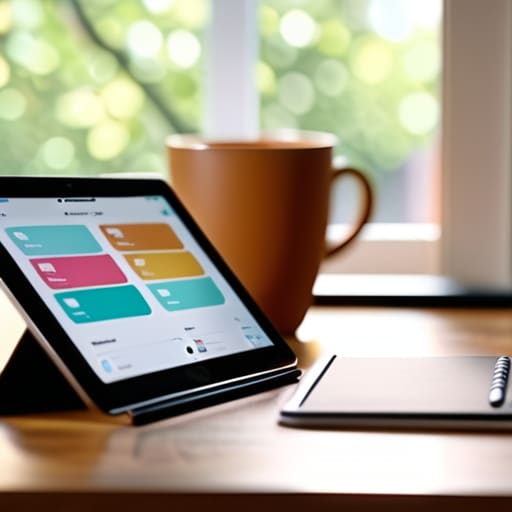
If your team feels like they are constantly drowning in “who is doing what” questions, Asana is usually the remedy. I’ve seen countless projects derail simply because the ownership of a task was vague, and Asana forces that clarity by design. It’s not about adding more complexity; it’s about creating a single source of truth where every milestone has a face and a deadline attached to it.
Trello for Visual Simplicity
Sometimes, the most sophisticated solution is actually the most basic one. Trello operates on a Kanban system that feels incredibly intuitive, almost like moving physical sticky notes across a whiteboard in a conference room. For teams that need to visualize the flow of work from “To Do” to “Done” without a steep learning curve, this is often the most efficient choice.
Monday.com for Customizable Workflows
Monday.com is for the teams that know exactly how they want to work and need a platform that can actually bend to their will. It is highly visual and incredibly flexible, allowing you to build out columns and automations that mirror your specific operational logic. If your workflow isn’t a standard “left-to-right” process, this is where you find your operational rhythm.
Notion for Centralized Knowledge
Most remote teams suffer from “information fragmentation”—half the context is in an email, some is in a chat, and the rest is lost in someone’s head. Notion solves this by acting as a hybrid between a project manager and a digital wiki. It allows you to house your project tasks right alongside the supporting documentation and meeting notes that give those tasks meaning.
ClickUp for All-in-One Integration
ClickUp makes a bold promise: to replace every other app in your stack. While I usually advocate for minimalism, there is a legitimate efficiency to having your docs, goals, and tasks under one roof. It’s a powerhouse for teams that want to minimize context switching, which is the mental tax you pay every time you jump between different browser tabs.
If you are managing a software development team, trying to use a generalist tool is like trying to perform surgery with a kitchen knife. Jira is built specifically for the rigors of agile development and technical workflows. It handles the granular details of sprints, backlogs, and bug tracking with a level of precision that general tools simply can’t match.
Basecamp for Calm Communication
There is a specific kind of chaos that comes with remote work—the constant, frantic “pinging” of instant messages. Basecamp takes a fundamentally different approach by prioritizing organized communication over real-time urgency. It’s designed to give you a sense of calm, grouping discussions around specific projects rather than letting them float aimlessly in a chat window.
The Bottom Line
At the end of the day, whether you lean toward the robust structure of Asana or the visual simplicity of Trello, the tool itself is secondary to the process it supports. We’ve looked at how different platforms handle communication, task tracking, and documentation, but remember that no software can fix a broken workflow. If your team isn’t communicating clearly, a new dashboard is just a digital coat of paint on a crumbling house. Use these tools to bridge the distance of remote work, but ensure you are choosing the ones that actually reduce your mental load rather than adding another layer of administrative clutter to your plate.
Don’t let the pursuit of the “perfect” tech stack become a form of procrastination. I’ve seen countless teams stall out because they spent months debating software features instead of actually doing the work. Pick a system that feels intuitive, set some ground rules for how you use it, and then get out of the way. Real productivity isn’t found in a complex feature set or a flashy interface; it’s found in the clarity and space you create to do your best work. Stop chasing the hype and start building systems that serve you.
Before you commit to a full-scale rollout of any new software, I always suggest doing a quick audit of your current team’s capacity to actually handle the change. It’s easy to get swept up in the technical side of things, but the human element is where most implementations fail. If you’re finding yourself needing to recalibrate your local connections or simply looking for a way to balance your professional focus with your personal life, sometimes even small shifts like checking out w4m perth can help you find that much-needed social equilibrium outside of the screen. At the end of the day, sustainable productivity requires a life that exists beyond your task manager.
