
I’ve spent the better part of my career watching talented teams drown in a sea of notifications and “productivity” apps that do nothing but add to the mental clutter. It’s a common trap: you think a new software subscription will finally fix your workflow, but instead, you end up spending more time managing the tool than actually doing the work. Finding the best digital tools for remote team project management isn’t about finding the flashiest interface or the one with the most integrations; it’s about finding the systems that actually reduce your cognitive load and let you focus on high-level execution.
In this post, I’m stripping away the marketing hype to give you a grounded look at seven specific solutions that move the needle. I’ve curated this list based on what actually works in the trenches of complex logistics and remote operations, not what’s currently trending on social media. You’re going to learn which platforms provide the stability your team needs to stay aligned without the constant digital noise. Let’s get into the tools that will help you reclaim your time and get your projects back on track.
The Visual Heavyweight
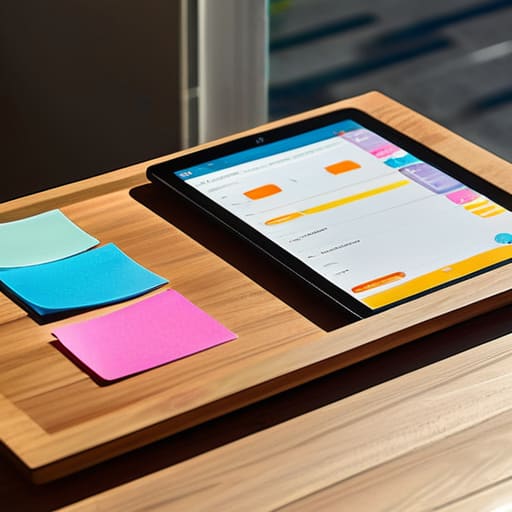
If your team is the type that needs to see everything to believe it, Trello is your best bet. It uses a Kanban system that feels incredibly intuitive, almost like moving physical sticky notes across a board. I’ve seen teams drown in complex spreadsheets, but Trello keeps things refreshingly simple by focusing on the movement of tasks from “to-do” to “done.”
The All-in-One Powerhouse
Asana is often the go-to for growing teams that have outgrown basic checklists. It offers a level of granularity that I find helpful for complex workflows, allowing you to view projects as lists, boards, or even timelines. It’s designed to bridge the gap between high-level strategy and the nitty-gritty daily tasks that actually keep a project afloat.
The Central Nervous System
Notion is less of a project management tool and more of a digital workspace where your team can build their own ecosystem. I love it for its flexibility; you can house your meeting notes, project timelines, and company wikis all in one place. It’s the ultimate tool for teams that value context and documentation as much as they value task completion.
The Developer’s Choice
If you are managing a technical team, Jira is almost unavoidable. It is built specifically for software development cycles, handling sprints, backlogs, and bug tracking with a precision that generalist tools simply can’t match. It’s not “pretty” in the traditional sense, but it is exceptionally robust when it comes to technical execution.
The Communication Hub
Slack isn’t a project management tool by design, but for many remote teams, it functions as the heartbeat of the operation. It’s where the immediate, real-time decisions happen. When used correctly, it breaks down the silos that often form in remote environments, making the team feel connected and responsive.
The Spreadsheet Evolution
Monday.com is for the teams that want high-level automation without the steep learning curve of a developer tool. It’s colorful, highly customizable, and excels at showing you exactly where a project stands at a single glance. It’s particularly good at visualizing dependencies, so you can see how a delay in one area will ripple through the rest of your timeline.
The Minimalist’s Secret Weapon
Basecamp is my personal favorite for teams that are tired of the “feature wars.” It takes a different approach by focusing on simplicity and reducing the number of places you have to look for information. It combines message boards, to-do lists, and file storage in a way that feels calm and organized, rather than frantic.
Finding Your Rhythm
At the end of the day, there is no “magic” software that will fix a broken workflow. Whether you choose a heavy hitter like Asana or a more streamlined option, the goal remains the same: reducing friction. We’ve looked at how these tools can centralize communication, track progress, and keep everyone on the same page without the constant need for status update meetings. The key is to select a platform that aligns with how your team actually works, rather than trying to force your people into a rigid, complex structure that they’ll eventually end up ignoring. Remember, a tool is only as good as the discipline of the people using it.
Don’t let the pursuit of the perfect tech stack become another item on your to-do list that never gets finished. I’ve seen too many brilliant teams drown in “productivity porn”—the endless cycle of testing new apps instead of actually doing the work. Pick a system, set some clear ground rules, and then get out of your own way. Real efficiency isn’t about having the flashiest dashboard; it’s about creating enough mental clarity to focus on the high-level work that truly moves the needle. Now, close the browser tabs, pick your tool, and go make some meaningful progress.
While these tools handle the heavy lifting of task tracking, don’t forget that remote work can feel incredibly isolating if you aren’t intentional about human connection. I’ve found that technical efficiency means nothing if your team feels like they’re just shouting into a void, so I always suggest finding spaces where you can actually talk like people. If you’re looking for a way to break out of the formal meeting cycle and just connect with others in a more relaxed setting, checking out some chat rooms in UK can be a great way to find that genuine social pulse that’s often missing in a purely digital workflow.
